Frame Angel Player Pro is a new type of media player for VaM, a built-from-scratch alternative to ImagePanel.
Flick the joystick with your thumb to scrub movies and speed or crawl through image slideshows
Use the included Wings app to play any image or video, in any folder, on any drive, on your PC.
Player Pro exposes everything you need with buttons and sliders, and keeps you from hunting through a plugin ui.
Your controller joystick skips images at variable speed, navigates movies, scrubs through movies, toggle play for movies and image slide shows, adjusts volume, adjusts screen size, and activates playlists, channels and favorites.
You don't have to click on buttons. You look at a screen, and your controller becomes a media remote.
Current features:
Flick the joystick with your thumb to scrub movies and speed or crawl through image slideshows
Use the included Wings app to play any image or video, in any folder, on any drive, on your PC.
Player Pro exposes everything you need with buttons and sliders, and keeps you from hunting through a plugin ui.
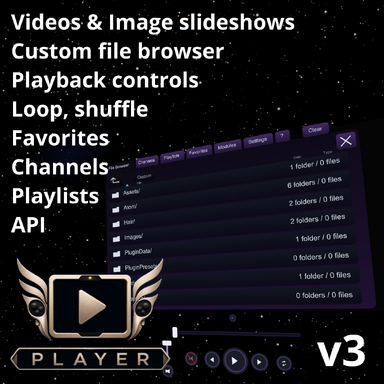
- Plays supported image and video media on an in-scene CustomUnityAsset screen.
- Loads user media through the player UI/plugin path.
- Supports image and video playlists, including directory-based playback.
- Provides play, pause, next, previous, seek/scrub, volume, mute, loop, shuffle, and favorites behavior.
- Restores player-owned scene state from saved scenes.
- Uses packaged player assets and scripts with short package paths.
- Includes a ready-to-load theater scene.
- Adds on-screen controls that can operate without opening the plugin UI.
- Adds playlist overlay/cards, saved playlist management, and default playlist controls.
- Adds gaze focus, screen focus rim, pointer hiding, and VaM navigation capture while the player owns focus.
- Adds gaze-targeted joystick control for scrub, navigation, and volume.
- Adds configurable skip, slideshow interval, aspect mode, and display size controls.
- Includes Custom/Atom/CustomUnityAsset/Preset_fapp.vap for adding a Pro player instance.
Your controller joystick skips images at variable speed, navigates movies, scrubs through movies, toggle play for movies and image slide shows, adjusts volume, adjusts screen size, and activates playlists, channels and favorites.
You don't have to click on buttons. You look at a screen, and your controller becomes a media remote.
Current features:
- Includes the Player playback foundation.
- Adds on-screen controls that can operate without opening the plugin UI.
- Adds playlist overlay/cards, saved playlist management, and default playlist controls.
- Adds gaze focus, screen focus rim, pointer hiding, and VaM navigation capture while the player owns focus.
- Adds gaze-targeted joystick control for scrub, navigation, and volume.
- Adds configurable skip, slideshow interval, aspect mode, and display size controls.
- Includes Custom/Atom/CustomUnityAsset/Preset_fapp.vap for adding a Pro player instance.