

Is this useful for you? I'd love to know!
Leave a like, and tell me in your review how this is helpful or could be improved!
About
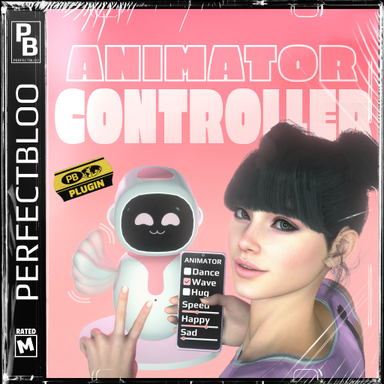
Control your CUA animation state machines inside VaM. Access animation parameters and layers of any CUA with an Unity Animator component, and set them via the plugin UI, triggers, or timeline.Is this the right plugin for you?
If you need some logic and transitions in your CUA animations, or just generally prefer setting up your CUA animations with Unity's animation state machines, this is for you. Set up your CUA with an Animator Controller in Unity, and control its parameters and layers in VaM to change your CUA's animation state. This plugin will not allow you to choose and play specific animation clips of your CUA.
A short showcase that moves a robotic arm via the plugin UI and timeline. Scene not included in the package.
How To
Add the plugin to a CUA that has at least one Unity Animator component. Select the target animator in the plugin UI. All animator parameters and layers will be loaded. Use the UI directly to control your CUA animator, or target the plugin in triggers or timeline to change values.- Slut show - Your personal Exhibition Hall by supperGR (CC BY-NC-SA)
- Sabrina by willmason (CC BY)
- Skin 6 by Riddler (CC BY)
- 2BUN Look by Lasseur (CC BY)
- ponytail hair2 by ddaamm (CC BY)
- 8k Blue shorts by AnythingFashionVR (CC BY-NC-ND)
- CMA_IRIS_REFLEX_EYESSHADOW by CMA (CC BY-SA)
- Enhanced Eyes by Hunting-Succubus (CC BY-NC)
- Workout clothes by maru01 (CC BY)
- Panty and bra by maru01 (CC BY)
- Summer_Outfit01 by maru01 (CC BY)
- Overknees by Strelok (CC BY-SA)
- Emissive Eyes reflection/shadows by SupaRioAmateur (CC BY-NC-SA)
- Overalls Set by xxxa (CC BY-ND)
- asco's Facial Expression Morph Pack by ascorad (CC BY)
- E-Motion by VRAdultFun (CC BY)
- Timeline by Acid Bubbles (CC BY-SA)
- "Toy Robot (Pink)" by GeniusPilot2016 (CC-BY-4.0, https://skfb.ly/oT8AH)
- "Black Honey - Robotic Arm" by re1monsen (CC-BY-4.0, https://skfb.ly/opntO)