

Shoe Fitter
One plugin that makes a rigid shoe fit: placement, foot pose, colliders and morphs

One plugin that makes a rigid shoe fit: placement, foot pose, colliders and morphs
Standing on the coat tails of Stopper and Skynet
Shoe Fitter is not a new idea. Everything it does was worked out first by other people, and they deserve the credit before anything else is said.
- Stopper - StaticClothing. The whole idea of drawing a clothing item rigidly from a bone instead of wrapping it to the skin is Stopper's. Shoe Fitter's static placement follows that approach (CC BY Stopper).
- Skynet and Stopper - Shoe Helper. Posing the foot and toes to suit a shoe, and giving a shoe a heel and toe collider so it can stand on the floor, comes from Shoe Helper. Shoe Fitter builds its colliders the same way, with the same shapes and the same numbers, so Shoe Helper settings carry straight over.
- Stopper - ClothingPluginManager. This is what lets a clothing item carry a plugin at all. Shoe Fitter cannot run without it.
This plugin was AI assisted
I decided what it should do and checked that it does it, but I did not write the C# by hand. It was only possible because the plugins above already existed to learn from. The original thinking is theirs; Shoe Fitter is a rearrangement of it with a few fixes and improvements.
What it does
- Static placement. Draws the shoe rigidly from the foot bone (or a bone you choose). Place it with a normal VaM handle by hand or with sliders for position, rotation and scale. No separate preset file: the placement is one of the plugin's own settings. Existing StaticClothing presets can be imported.
- Foot pose. Foot angle and toe angle, held while the shoe is worn. One button sets the toe angle to the opposite of the foot angle. It can keep the foot control level so she stays standing as she was.
- Toe stiffness. Stiffer toe joints so the toes stay put inside the shoe. Put back when the shoe comes off.
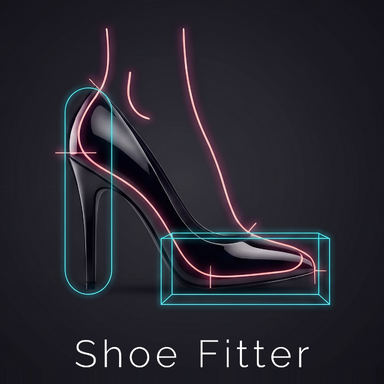
- Colliders. One heel capsule and one box under the ball of the foot, so the shoe rests on floors and props. They can be fitted automatically to the shoe's own materials (tick outsole, heel and tip, for example), or set by hand with sliders or by dragging them with the mouse.
- Morphs. Type part of a morph's name, add it, set its value. It goes on with the shoe and comes off with it. Morphs are stored by file path, so the same settings work whether the morph is a loose file or inside any version of a package.
- Left, right or both. Works out which foot the shoe is for, or you can tell it.
How to use:
- Add Shoe Fitter to your shoe item through ClothingPluginManager.
- Fit tab: turn on Static placement and move the shoe into place with the handle. Set the foot and toe angles.
- Colliders tab: tick the materials that touch the ground and check the fitted shapes with Show colliders. Switch to Manual if you want to adjust them.
- Morphs tab: add any morph the shoe needs.
- Press Save as this shoe's default, then Copy to the other shoe (mirrored) if you have a pair.
Dependencies
- Stopper.ClothingPluginManager - lets a clothing item carry its own plugin.
- Stopper for StaticClothing and ClothingPluginManager.
- Skynet and Stopper for Shoe Helper.
More from SoleStorm