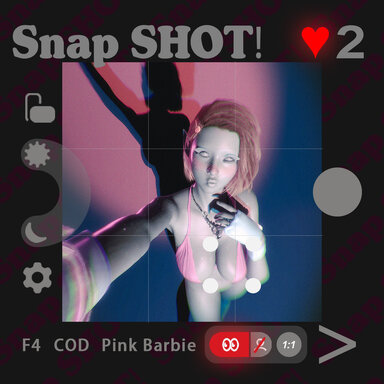
SnapSHOT! (app)

Scenes SnapSHOT! (app)

Download [42.4 MB]
如果能附上一个特别短的录屏就太好了,因为看起来似乎是三个插件同时被复制,大概和相机有关,你确定会话插件什么都没有吗,比如postmagic之类的,因为会影响相机的插件不多,通常重新下载安装不太会解决问题的,,
下次启动vam后,不要打开场景,先按下“alt+t”强制切换回英文,然后再打开场景测试下,好在snapshot启动速度远大于slutshow。。也不排除是中文翻译造成的问题
很神奇的事情。我把v5和v6删掉后进入了v4版本,结果也出现了这个问题(以前从未发生过),我突然发现我开着DLSS5,我在九月初安装了DLSS5的插件文件后就没有关过它,我都忘了它的存在。当我在v4版本关掉DLSS5时一切都好了。我重新安装了v6,虽然一开始问题又出现了,但是我点了一下Toggle UI之后,一切几乎好了。但是还是存在重复的ui,但是几乎不影响,如图,最右边还是有那个圆弧的重复。非常感谢这几天你们的帮助。
1790859477684.png
 
如果能附上一个特别短的录屏就太好了,因为看起来似乎是三个插件同时被复制,大概和相机有关,你确定会话插件什么都没有吗,比如postmagic之类的,因为会影响相机的插件不多,通常重新下载安装不太会解决问题的,,
下次启动vam后,不要打开场景,先按下“alt+t”强制切换回英文,然后再打开场景测试下,好在snapshot启动速度远大于slutshow。。也不排除是中文翻译造成的问题
You really did the best scene,thank you.
 
Hello! I was wondering where I could find this look? Thanks!
 

Attachments

  • Screenshot 2026-10-02 062545.png
    Screenshot 2026-10-02 062545.png
    1.9 MB · Views: 0
Unsure why, but with the last two updates. I keep loading into a black screen. I can hear audio, breathing and the sound of the cursor hovering over UI elements but unsure how to fix

1791168233485.png
 
Unsure why, but with the last two updates. I keep loading into a black screen. I can hear audio, breathing and the sound of the cursor hovering over UI elements but unsure how to fix

View attachment 629225
Hey!
No worries, this is usually a load order bug. Just find the "VAMOverlayer" plugin on the "00_0LogicBrick" atom and manually click the "Test Fade In" button—that should fix it

I’ll remove this unstable part in the next update.
Basically, VAMOverlayer keeps the scene faded out when it loads, and the fade-in trigger is set to fire after the snapshotUI plugin finishes loading. If snapshotUI is loading for the first time, or something else gets flaky, that trigger might not fire, which leaves you with a black screen.=

Hope that helps! :geek:
 
Hey!
No worries, this is usually a load order bug. Just find the "VAMOverlayer" plugin on the "00_0LogicBrick" atom and manually click the "Test Fade In" button—that should fix it

I’ll remove this unstable part in the next update.
Basically, VAMOverlayer keeps the scene faded out when it loads, and the fade-in trigger is set to fire after the snapshotUI plugin finishes loading. If snapshotUI is loading for the first time, or something else gets flaky, that trigger might not fire, which leaves you with a black screen.=

Hope that helps! :geek:
I figured it was something like that. I often seem to have issues with MacGruber's ScreenFade LogicBrick plugin too, it seems to fade leaving screen black in alot of scenes until its disabled or toggled. Just couldn't find it so realized you probably weren't using that exact plugin. Thanks for the info.
 
I am absolutely in love with this scene, but unfortunately, it doesn't seem to work well with DLSS 5. I would really love to use them together!
Every time I take a photo using the Snapshot app, the final screenshot comes out without any of the DLSS 5 upscaling or enhancements applied. It seems like the screenshot bypasses the DLSS injection layer entirely.
Has anyone found a workaround or a specific configuration to make DLSS 5 work with Snapshot's photo-taking feature? Any help would be greatly appreciated!
 
Last edited:
Boss, the shooting of this scene is not compatible with DLSS. Misiv's vrrender can save the effect after DLSS. I hope your camera can support DLSS
 
Hi everyone.

I recently noticed that, up until the latest Sept update the pictures I'm taking are not saving to "Saves" anymore. Is there a reason why this was removed? Thanks in advance.
 
Hi everyone.

I recently noticed that, up until the latest Sept update the pictures I'm taking are not saving to "Saves" anymore. Is there a reason why this was removed? Thanks in advance.
Hi ChupaMatraka1876

I’m guessing you mean that after pressing the capture button, no new screenshot file is generated under `\Saves\screenshots` — is that correct?

Sorry about that. I immediately tested again locally, and images are saving correctly on my side.

Could you search for the PostMagic atom and check whether the Supershot plugin appears in the plugin slots? You can test that plugin independently to see whether it fails to work correctly on your machine. This may be related to session plugins or something else. If possible, please provide more information.

Thanks a lot! :geek:
 
Hello suppGR.

I had to go and manually download the plugin because it was never bundled with the scene.

After downloading it though, I have to also add it to SnapShot, strangely it works after adding it.

Thanks!
 
Hello suppGR.

I had to go and manually download the plugin because it was never bundled with the scene.

After downloading it though, I have to also add it to SnapShot, strangely it works after adding it.

Thanks!
Hey!

I’m glad you got it working, but I think there may be a small misunderstanding about how VaM handles dependencies :unsure:

It sounds like you manually downloaded **MacGruber.Essentials.16** — Supershot is part of that package. The recommended way is to use VaM’s built-in Hub browser to complete all dependencies before opening the scene, or use a third-party dependency tool to fill them in. This is a good habit for any scene, look, or similar asset.

Due to licensing restrictions on other creators’ work, I usually don’t bundle every plugin into the scene file. But all the dependencies needed by Snapshot are listed here
You’ll see **MacGruber.Essentials.16** sitting right in that list

Once you’ve completed the dependencies via the Hub or a dependency tool, you just need to reload/restart the scene and the plugin should load automatically :geek: — there’s no need to manually add it to the scene
Thanks for the reply!
 
Back
Top Bottom