
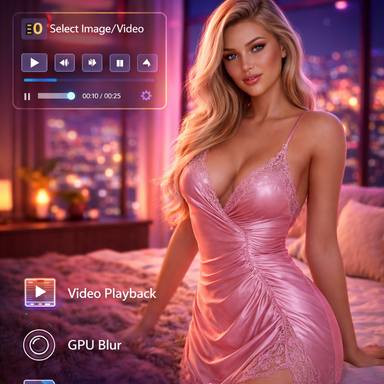
Background Image Helper

Plugins + Scripts Background Image Helper

Download [<1 MB]
First of all, thank you so much for creating such an excellent plug-in that allows videos to be freely played within a scene. I’ve been using it in various way and it works wonderfully.

One functional limitation I’ve noticed is that, all images and videos must be located inside the [save/image] and [save/video] directories. Because of this, when I decorate a scene using short video clips I created myself and then release the scene as a VAR—including those clips originally placed in [save/video] in the VAR—the plug-in cannot load them when the scene is opened from the VAR package, since the save/video directory of new VAM environment does not contain the video clips of my original VAM environment.

Would it be possible to allow the plug-in to load images and videos from the custom/ directory as well, so that scenes packaged as VARs can still access their media files?
Personally, I find this plug-in extremely useful, but due to this issue, it’s currently difficult for me to publish scenes that rely on it as VARs.
 
First of all, thank you so much for creating such an excellent plug-in that allows videos to be freely played within a scene. I’ve been using it in various way and it works wonderfully.

One functional limitation I’ve noticed is that, all images and videos must be located inside the [save/image] and [save/video] directories. Because of this, when I decorate a scene using short video clips I created myself and then release the scene as a VAR—including those clips originally placed in [save/video] in the VAR—the plug-in cannot load them when the scene is opened from the VAR package, since the save/video directory of new VAM environment does not contain the video clips of my original VAM environment.

Would it be possible to allow the plug-in to load images and videos from the custom/ directory as well, so that scenes packaged as VARs can still access their media files?
Personally, I find this plug-in extremely useful, but due to this issue, it’s currently difficult for me to publish scenes that rely on it as VARs.
Hey Xacreux and thank you for your feedback 😊🍺 Yes it can totally be done and should be a quickfix, Give me a couple of hours and i will have it fixed 😊 UPDATE : ok save/load should now follow VaM`s default behaviour. waiting for the update to be released by the modertators 🫡
 
Last edited:
I've seen the same functionality implemented in other scenarios without using this plugin. Does VAM's built-in features cover it, or are there other plugins that can achieve the same effect? What I want to ask is, what are the advantages of your plugin? Thanks.
 
I've seen the same functionality implemented in other scenarios without using this plugin. Does VAM's built-in features cover it, or are there other plugins that can achieve the same effect? What I want to ask is, what are the advantages of your plugin? Thanks.
Thanks for asking. Yes, parts of this can be recreated using VaM’s built-in features, image panels, video players, or combinations of other plugins. The main advantage of Background Image Helper is not that every individual function is completely impossible without it, but that it puts the complete workflow into one easy-to-use plugin.

It includes two separate display modes:

-A true full-screen background that can follow the camera
-A floating world-space panel that can be freely positioned, rotated and scaled in the scene

Both modes support images and videos, with controls for opacity, scaling, zoom, cropping and rotation. Images can also be blurred directly inside the plugin.

For videos, you have playback, pause, stop, seeking, looping, speed, mute, volume and optional frame-rate synchronization.

Another major advantage is the 10 media slots. You can save different images or videos together with their settings and switch between them quickly. The slot actions and video controls are also exposed as VaM actions, so they can be activated through triggers and used in more complex scenes.

The plugin also stores its configuration with the scene, including the selected media, positioning and slot settings. This avoids having to rebuild the setup each time.

So, if you only need a single static image, VaM’s existing tools may be enough. The plugin is mainly intended for users who want a faster, cleaner and more flexible way to manage multiple image or video backgrounds without assembling several atoms and plugins manually.
 

Similar threads

Back
Top Bottom