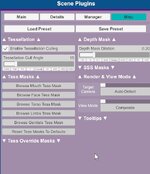
Wondering if any of the skilled look creators/sculptors have any tips or tricks related to offsetting or counteracting the effects of Smoothing Passes on custom looks, especially for facial features?
I understand the importance of smoothing passes in regards to skinned mesh physics, and the mesh resolution of the G2F model.
I have been exploring several different approaches to offsetting the effects of smoothing passes for my looks, including increasing the range of my head morph to 1.05 - 1.1 in size, exaggerating certain features in my original blender sculpt, and using small adjustments to runtime morphs to compensate.
If anyone out there has an approach they find more useful than others, or one I haven't thought of, it would be greatly appreciated to learn what some of you sculpt creators prefer to use.
Thanks,
- Metix
I understand the importance of smoothing passes in regards to skinned mesh physics, and the mesh resolution of the G2F model.
I have been exploring several different approaches to offsetting the effects of smoothing passes for my looks, including increasing the range of my head morph to 1.05 - 1.1 in size, exaggerating certain features in my original blender sculpt, and using small adjustments to runtime morphs to compensate.
If anyone out there has an approach they find more useful than others, or one I haven't thought of, it would be greatly appreciated to learn what some of you sculpt creators prefer to use.
Thanks,
- Metix