• Hi Guest!

    We have posted a new VaM2 dev log on Patreon, starting a monthly cadence of written progress updates between Beta releases. Highlights include the new Gizmos System, Selection Carousel, and Modes System with Context-Specific Editing. Beta1.2 is 15 of 21 items complete.

    Read the full post on Patreon, or follow progress on the public Trello roadmap.
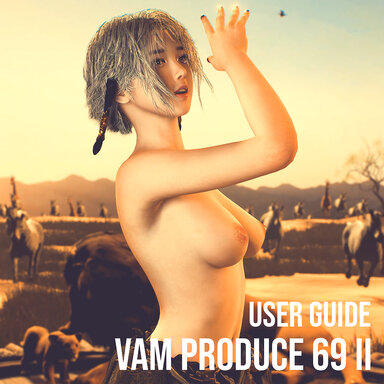
VaM Produce 69 II (VR | XR | Desktop)  RC4 Rebuilt

Scenes VaM Produce 69 II (VR | XR | Desktop) RC4 Rebuilt

Download [245.48 MB]
I received another report on Discord that sounds very similar to your case.

My initial guess is that it may be related to a plugin conflict. Sorry to take a bit of your time, but could you tell me which custom plugins you’re using? That would help me investigate the compatibility issue.

Especially session plugins. The scene description actually mentions this as well: please don’t use session plugins with this scene.

Sure. I wasn't using any Session or Scene plugins so far.
The preset I'm using has AltFuta, RealisticForeskin&Erection, UYExpBalls
 
I received another report on Discord that sounds very similar to your case.

My initial guess is that it may be related to a plugin conflict. Sorry to take a bit of your time, but could you tell me which custom plugins you’re using? That would help me investigate the compatibility issue.

Especially session plugins. The scene description actually mentions this as well: please don’t use session plugins with this scene.
I also encountered this problem. If I change the custom appearance, I can no longer select multi-scene tracks from the initial interface. I tried disabling the session plugin and reloading 69, but the problem still exists.
 
For some reason, my Noelle is displaying the default female character model. When I swap characters, only her face changes—her body remains completely white. This also causes song selection to lack dance animations; it takes a few song changes before things return to normal. I’ve confirmed that all dependencies are installed and I have sufficient RAM.
 
@Tenzan
@SoundCao

At the moment, this is still an issue where we can’t identify the root cause yet.


Based on the descriptions from the 4 to 5 reports we’ve received so far, I tried testing it myself, but I still couldn’t reproduce this “bug.” Since it does not seem to be a widespread issue, that makes it even harder to track down.


However, we can at least try a defensive fix and see if it helps with these specific cases.


Please download this version and overwrite the previous .29 version you got from the Hub. It includes a new defensive patch for this issue.


Please test it and let us know whether it works.
 
For some reason, my Noelle is displaying the default female character model. When I swap characters, only her face changes—her body remains completely white. This also causes song selection to lack dance animations; it takes a few song changes before things return to normal. I’ve confirmed that all dependencies are installed and I have sufficient RAM.
The only thing I can think of right now is that it might be related to caching.
 
Using either Stoppers or Vamtimbo's Alt-Futa plug-in with the Custom Merge-loading unabled causes, stages, lighting, music, and props to not load in.
When you setup an alt-futa merge-load for both people in the beginning, it breaks nearly everything if you load a 2 person song (I specifically tried HIMEHINA). If you load a single person scene without alt-futa, then add alt-futa to your person and create an alt-futa merge-load for the next 1 person scene, it only breaks that next loaded scene, but sometimes doesn't for some reason.
It will stay broken even if you reload it w/o merge-load, most scenes will still work fine as long as you don't use merge-load. You have to manually add Alt-futa for each scene.

That Megalink update didn't fix it for me, it actually made it worse, now it's pitch black and I can't get the UI to show up at all after attempting to load a 2 person scene, it also broke everything in 1 person scenes as well, clicking on a song title doesn't respond at all.
 
Using either Stoppers or Vamtimbo's Alt-Futa plug-in with the Custom Merge-loading unabled causes, stages, lighting, music, and props to not load in.
When you setup an alt-futa merge-load for both people in the beginning, it breaks nearly everything if you load a 2 person song (I specifically tried HIMEHINA). If you load a single person scene without alt-futa, then add alt-futa to your person and create an alt-futa merge-load for the next 1 person scene, it only breaks that next loaded scene, but sometimes doesn't for some reason.
It will stay broken even if you reload it w/o merge-load, most scenes will still work fine as long as you don't use merge-load. You have to manually add Alt-futa for each scene.

That Megalink update didn't fix it for me, it actually made it worse, now it's pitch black and I can't get the UI to show up at all after attempting to load a 2 person scene, it also broke everything in 1 person scenes as well, clicking on a song title doesn't respond at all.
I spent an entire day on this, and I even wrote a dedicated plugin to trace and record everything happening inside the P69 scene.

Following your descriptions, I used the same plugins and tried to reproduce the issue, but I still could not reproduce the problem you are experiencing at all.

Because of that, I have to lean toward the possibility that there may be something wrong with my old guide.

I will update the user guide for RC4 with more detailed and specific instructions.
 
Last edited:
更新了但是老是闪退和掉线内存卡32G不够用吗 还有F9和F10按不了要手动用鼠标按 修复下
 
更新了但是老是闪退和掉线内存卡32G不够用吗 还有F9和F10按不了要手动用鼠标按 修复下
READ THIS https://hub.virtamate.com/threads/v...desktop-rc4-rebuilt.44732/page-19#post-235435

1. Keeping your VaM environment clean and stable is not my responsibility. I can only give you suggestions.

This is a free scene, provided as is. What I can do is make sure it runs stably without crashing in my own development environment, which only has 16GB of onboard memory.

2. You did not pay for this scene, so please don’t speak to me in that harsh, demanding tone.

Even when you do pay for someone else’s work, showing basic respect to the creator is still the right thing to do.
 
Last edited:
@Tenzan
@SoundCao
@Gojack


I rewrote and updated the guide for RC4. Please follow the new guide instead.

Thank you for looking into this. This fixed it for me.
 
Back
Top Bottom