
• Hi Guest!

    We have posted a new VaM2 dev log on Patreon, starting a monthly cadence of written progress updates between Beta releases. Highlights include the new Gizmos System, Selection Carousel, and Modes System with Context-Specific Editing. Beta1.2 is 15 of 21 items complete.

    Read the full post on Patreon, or follow progress on the public Trello roadmap.
Of Countless Stars

Scenes Of Countless Stars

Download [1.05 MB]

Zero Lambda

Well-known member
Featured Contributor
Joined
Nov 15, 2023
Messages
28
Reactions
920
Zero Lambda submitted a new resource:

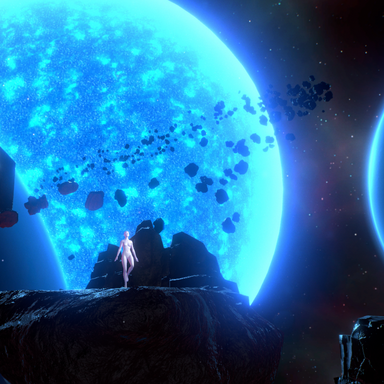
Of Countless Stars - An MMD stage set in zero-gravity.

OF COUNTLESS STARS
An asteroid moving through orbit.​

ℹ️ Note
Due to an update to VAM Hub policy, going forward there will no longer be video demonstrations with MMD motions, models, or clothing, as they are not included with this resource. Additional screenshots of the environment are available in the community gallery. If you're looking for scenes with MMD motions included, please try...

Read more about this resource...
 
How to turn off background environmental sound effects?
Hello!

Go into Edit Mode, and choose Show Hidden under the atom menu (mouse cursor icon). Scroll down the list to find the SFXAmbiance atom and you can either turn the volume down to 0, or you can uncheck On under the control tab.
 
Hello!

Go into Edit Mode, and choose Show Hidden under the atom menu (mouse cursor icon). Scroll down the list to find the SFXAmbiance atom and you can either turn the volume down to 0, or you can uncheck On under the control tab.
Okay, it feels too laggy when dancing. Which special effects can I turn off to increase the frame rate? Which ones consume the most resources? How do I turn off the line drawing on my hand?
 
Okay, it feels too laggy when dancing. Which special effects can I turn off to increase the frame rate? Which ones consume the most resources? How do I turn off the line drawing on my hand?
Follow the same process and look for the Gleam Band atom. That's where the light trails from the bracelet are coming from.

If you're noticing some lag or delay, make sure your physics settings look a lot like mine to start:

1777851859377.png


Pixel lights have the biggest impact on frames. Start by disabling the rim lights to see if things improve one-by-one. Next is physics. Make sure on your model that Glute and Breast Soft Body Physics is disabled since those are the next biggest impact. Otherwise you may want to look at hair quality of the model that you're using and minimize the use of simulated clothing. Lower the curves and multipliers under the Physics tab on each hair item, and disable cloth sim where possible.

Additionally, I lowered the gravity in this scene, so if things look too floaty, that's intended, but you can reset it back to normal by going to Scene Misc with the edit tab open if that's what you're seeing as the problem.
 
Back
Top Bottom