
• Hi Guest!

    We are extremely excited to announce the release of our first Beta1.1 and the first release of our Public AddonKit!
    To participate in the Beta, a subscription to the Entertainer or Creator Tier is required. For access to the Public AddonKit you must be a Creator tier member. Once subscribed, download instructions can be found here.

    Click here for information and guides regarding the VaM2 beta. Join our Discord server for more announcements and community discussion about VaM2.
  • Hi Guest!

    VaM2 Resource Categories have now been added to the Hub! For information on posting VaM2 resources and details about VaM2 related changes to our Community Forums, please see our official announcement here.
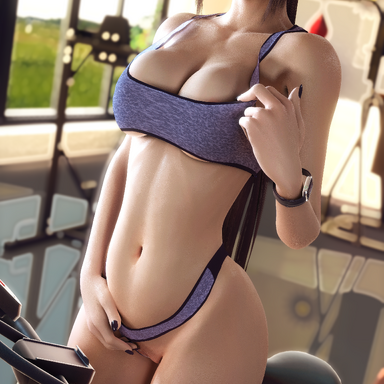
Sexy Sports Outfit

Clothing Sexy Sports Outfit

Download [50.89 MB]

Over3D

Well-known member
Joined
Apr 28, 2021
Messages
43
Reactions
448
FYI the auto-morphs do not work, the clothingplugins files are not referencing the package.
 
Can you show me the error log?
There is no error the morphs just don't load, they are trying to load from local folders instead of the package.
Might work for you because you have the morphs locally.

This is what the file (Sexy Sports Bra.default.clothingplugins) is showing now:
JSON:
{
   "id" : "Over3D:Sexy Sports Bra:plugin#0_Stopper.ClothingPluginManager",
   "plugins" : {
      "plugin#0" : "Stopper.ClothingPluginManager.7:/Custom/Scripts/Stopper/ClothingPluginManager/ClothingPluginManager.cs",
      "plugin#1" : "Stopper.ClothingDrivenMorphs.1:/Custom/Scripts/Stopper/ClothingDrivenMorphs.cslist"
   },
   "storables" : [
      {
         "id" : "plugin#1_Stopper.ClothingDrivenMorphs",
         "Custom/Atom/Person/Morphs/female/Gym Bra - breasts cleavage - Body.vmi" : "1",
         "Morph Uid" : "Custom/Atom/Person/Morphs/female/Gym Bra - breasts cleavage - Body.vmi",
         "controlledMorphs" : [
            "Custom/Atom/Person/Morphs/female/Gym Bra - breasts cleavage - Body.vmi"
         ]
      }
   ]
}

This is what it should be:
JSON:
{
   "id" : "Over3D:Sexy Sports Bra:plugin#0_Stopper.ClothingPluginManager",
   "plugins" : {
      "plugin#0" : "Stopper.ClothingPluginManager.7:/Custom/Scripts/Stopper/ClothingPluginManager/ClothingPluginManager.cs",
      "plugin#1" : "Stopper.ClothingDrivenMorphs.1:/Custom/Scripts/Stopper/ClothingDrivenMorphs.cslist"
   },
   "storables" : [
      {
         "id" : "plugin#1_Stopper.ClothingDrivenMorphs",
         "Over3D.Sexy_Sports_Outfit.1;/Custom/Atom/Person/Morphs/female/Gym Bra - breasts cleavage - Body.vmi" : "1",
         "Morph Uid" : "Over3D.Sexy_Sports_Outfit.1:/Custom/Atom/Person/Morphs/female/Gym Bra - breasts cleavage - Body.vmi",
         "controlledMorphs" : [
            "Over3D.Sexy_Sports_Outfit.1:/Custom/Atom/Person/Morphs/female/Gym Bra - breasts cleavage - Body.vmi"
         ]
      }
   ]
}
 
I should've double checked the paths after the package builder did its thing
There is no error the morphs just don't load, they are trying to load from local folders instead of the package.
Might work for you because you have the morphs locally.

This is what the file (Sexy Sports Bra.default.clothingplugins) is showing now:
JSON:
{
   "id" : "Over3D:Sexy Sports Bra:plugin#0_Stopper.ClothingPluginManager",
   "plugins" : {
      "plugin#0" : "Stopper.ClothingPluginManager.7:/Custom/Scripts/Stopper/ClothingPluginManager/ClothingPluginManager.cs",
      "plugin#1" : "Stopper.ClothingDrivenMorphs.1:/Custom/Scripts/Stopper/ClothingDrivenMorphs.cslist"
   },
   "storables" : [
      {
         "id" : "plugin#1_Stopper.ClothingDrivenMorphs",
         "Custom/Atom/Person/Morphs/female/Gym Bra - breasts cleavage - Body.vmi" : "1",
         "Morph Uid" : "Custom/Atom/Person/Morphs/female/Gym Bra - breasts cleavage - Body.vmi",
         "controlledMorphs" : [
            "Custom/Atom/Person/Morphs/female/Gym Bra - breasts cleavage - Body.vmi"
         ]
      }
   ]
}

This is what it should be:
JSON:
{
   "id" : "Over3D:Sexy Sports Bra:plugin#0_Stopper.ClothingPluginManager",
   "plugins" : {
      "plugin#0" : "Stopper.ClothingPluginManager.7:/Custom/Scripts/Stopper/ClothingPluginManager/ClothingPluginManager.cs",
      "plugin#1" : "Stopper.ClothingDrivenMorphs.1:/Custom/Scripts/Stopper/ClothingDrivenMorphs.cslist"
   },
   "storables" : [
      {
         "id" : "plugin#1_Stopper.ClothingDrivenMorphs",
         "Over3D.Sexy_Sports_Outfit.1;/Custom/Atom/Person/Morphs/female/Gym Bra - breasts cleavage - Body.vmi" : "1",
         "Morph Uid" : "Over3D.Sexy_Sports_Outfit.1:/Custom/Atom/Person/Morphs/female/Gym Bra - breasts cleavage - Body.vmi",
         "controlledMorphs" : [
            "Over3D.Sexy_Sports_Outfit.1:/Custom/Atom/Person/Morphs/female/Gym Bra - breasts cleavage - Body.vmi"
         ]
      }
   ]
}
 
Hi. Good job on the package. Looks awesome.
However, there is likely still a problem in the .var file because Version 2 references the morphs in Version 1. So it looks like you have to have both vars in your AddonPackages folder for this to work... But even when I do that, the plugin morphs don't appear. I can't even see the morphs standalone in the Female Morphs section, even when searching for "pressure"
 
Hi. Good job on the package. Looks awesome.
However, there is likely still a problem in the .var file because Version 2 references the morphs in Version 1. So it looks like you have to have both vars in your AddonPackages folder for this to work... But even when I do that, the plugin morphs don't appear. I can't even see the morphs standalone in the Female Morphs section, even when searching for "pressure"
Thanks, I noticed this, I'm waiting for the update to be approved by mod team. V2 update fixed something, while the package builder broke something else, which is just great.
 
Back
Top Bottom