• Hi Guest!

    We are extremely excited to announce the release of our first Beta1.1 and the first release of our Public AddonKit!
    To participate in the Beta, a subscription to the Entertainer or Creator Tier is required. For access to the Public AddonKit you must be a Creator tier member. Once subscribed, download instructions can be found here.

    Click here for information and guides regarding the VaM2 beta. Join our Discord server for more announcements and community discussion about VaM2.
  • Hi Guest!

    VaM2 Resource Categories have now been added to the Hub! For information on posting VaM2 resources and details about VaM2 related changes to our Community Forums, please see our official announcement here.
MXT Showroom

Toolkits + Templates MXT Showroom

Download [22.87 MB]

MXT

Member
Joined
Jan 30, 2026
Messages
9
Reactions
33
MXT submitted a new resource:

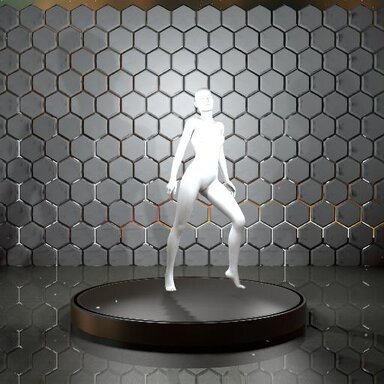
MXT Showroom - A scene for model testing / viewing / screenshotting.

MODEL NOT INCLUDED. This scene is for you to load your own models.

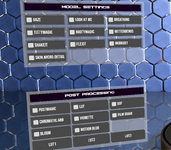
This is essentially a handbuilt model testing scene using VamStory and Logic Bricks, with timeline animations repacked and stripped down from VertigoEighty's TryOnMaster. Zero lagtime between scene switches and animation switches.

I did not include zCameraman and there are some plugins loaded on the Person atom that are not activated by default (eg. BetterBends, Cheesy ShakeIt) and are not on the UI. Remove them or...

Read more about this resource...
 
MXT updated MXT Showroom with a new update entry:

Fixes and Additions

- Fixed bed and sofa UI buttons to regular render layer so they don't float in front of the model when Postmagic is on.
- Fixed Audiosource to play the music track in 2D and non-spatially.
- Fixed typo (Skybet Bedroom lol)
- Added trigger for audio pause and unpause to Pause Button (F3)
- Added button (F6) to switch between FOV 25 and FOV 40.
- Combined Face and Body view into F5. Hit the button to switch between full body view and face view.
- Renamed almost all atoms to make things easier...

Read the rest of this update entry...
 
Very well done :)

Only one suggestion, could you please add collision for the platform? (the ISCynlinder platform, I mean). Because I'm using a custom character and ShoeHelper (to add colliders on Heels, etc) and it just clips through the platform, especially during animations). So whenever you can, please do consider it. Thank you for your time and your work!
 
MXT updated MXT Showroom with a new update entry:

V3 Update

A ton of housekeeping has been done.
  • Renamed: Animation button titles - to reflect the creator and the animation name (except one, see Credits section if you're curious). Although the UI looks more cluttered and less minimalist now, the purpose of doing this is to provide proper credit and exposure for the creators and their hard work involved in making these mocaps. You'll get used to it. Took me a long time to find the creators since the original scene that I took the animations...

Read the rest of this update entry...
 
Very well done :)

Only one suggestion, could you please add collision for the platform? (the ISCynlinder platform, I mean). Because I'm using a custom character and ShoeHelper (to add colliders on Heels, etc) and it just clips through the platform, especially during animations). So whenever you can, please do consider it. Thank you for your time and your work!
Hey thanks for pointing that out! Was definitely an oversight on my part.
Fixed in V4, just uploaded so might take awhile to show up; meanwhile you can also just load into the V3 scene, then unhide and toggle on the collision for the cylinder, and save the scene for now :)
 

Similar threads

Back
Top Bottom