
• Hi Guest!

    We are extremely excited to announce the release of our first Beta1.1 and the first release of our Public AddonKit!
    To participate in the Beta, a subscription to the Entertainer or Creator Tier is required. For access to the Public AddonKit you must be a Creator tier member. Once subscribed, download instructions can be found here.

    Click here for information and guides regarding the VaM2 beta. Join our Discord server for more announcements and community discussion about VaM2.
  • Hi Guest!

    VaM2 Resource Categories have now been added to the Hub! For information on posting VaM2 resources and details about VaM2 related changes to our Community Forums, please see our official announcement here.
Background Image Helper

Plugins + Scripts Background Image Helper

Download [<1 MB]

Kimowal

Well-known member
Joined
Dec 27, 2022
Messages
253
Reactions
531
Kimowal submitted a new resource:

Background Image Helper - BIH

Background Image Helper

Overview

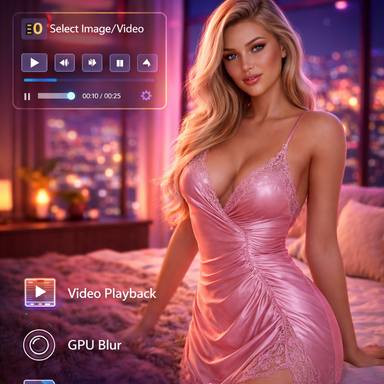
Transform your VaM scenes with immersive background images and videos. Background Image Helper provides a powerful, GPU-accelerated background system with full video playback support, cinematic camera effects, and seamless scene integration.

Key Features

📷 Image & Video Support

- Load any image (JPG, PNG) or video file (MP4, WebM, etc.) as your scene background
- Automatic format detection and optimized rendering
- Support for...

Read more about this resource...
 
can i set somehow variable framerate so it detect real framereate and play video according to it? there is similar plugin by pluginidea but problem is that if i load video and i have verylow fps , video in that plugin is played with its fps rate and then when i use video render plugin which render framebyfreame it gives efect of very fast video play, that plugin can slow video play to 0.1speed but its stil to slow couse if i have video 60fps and real frame rate is 3 FPS then video is played 6fps :) then ind the rendered video that bacgroudnd video still play 2x faster :(
 
can i set somehow variable framerate so it detect real framereate and play video according to it? there is similar plugin by pluginidea but problem is that if i load video and i have verylow fps , video in that plugin is played with its fps rate and then when i use video render plugin which render framebyfreame it gives efect of very fast video play, that plugin can slow video play to 0.1speed but its stil to slow couse if i have video 60fps and real frame rate is 3 FPS then video is played 6fps :) then ind the rendered video that bacgroudnd video still play 2x faster :(
Hey :) what your describing is frame sync when using vid rendering plugins. il have a look at it :)
 
Great plugin, thanks for your hard work. I have a tiny suggestion — it would be awesome if the background could be triggered by the timeline and swapped just like switching slides.
 
ok so a little information, As 4498856 asked about , a way to shuffle the images, or making a kinda slideshow, its a work in progress but almost implemented. what i have done is adding function for multiple views at once, so lets say you want one image placed somewhere in the scene, then you can add another video or image somewhere else in the scene at the same time, multiple backgrounds at the same time or place it as a decor( frame on the wall...infront of an tv asset..etc..) :) . Also added multiple tabs in the ui so its easier to work with instead of an huge ui.

what im picturing the slideshow would work like : Ive added "saveslots" where each saveslot captures wether its a huge background or a smaller "frame". it also saves the settings for each image/video . then im thinking of adding a "shuffle" function where you van playe of chosen saveslots, not neccesarily in order, and that way have multiple images showing up on same saved spot.( i dunno yet if i can implement a shuffle version for each slot where you can have sev imaes but il look into it). i think this will make more options for creative enviroments. what do you guys think? do you like the plugin asis or does this sound like something youd want implemented?
 
ok so a little information, As 4498856 asked about , a way to shuffle the images, or making a kinda slideshow, its a work in progress but almost implemented. what i have done is adding function for multiple views at once, so lets say you want one image placed somewhere in the scene, then you can add another video or image somewhere else in the scene at the same time, multiple backgrounds at the same time or place it as a decor( frame on the wall...infront of an tv asset..etc..) :) . Also added multiple tabs in the ui so its easier to work with instead of an huge ui.

what im picturing the slideshow would work like : Ive added "saveslots" where each saveslot captures wether its a huge background or a smaller "frame". it also saves the settings for each image/video . then im thinking of adding a "shuffle" function where you van playe of chosen saveslots, not neccesarily in order, and that way have multiple images showing up on same saved spot.( i dunno yet if i can implement a shuffle version for each slot where you can have sev imaes but il look into it). i think this will make more options for creative enviroments. what do you guys think? do you like the plugin asis or does this sound like something youd want implemented?
Thank you so much for taking my suggestions on board! Haha, I never thought you’d actually adopt them, let alone take things a step further with more thoughts—this has me absolutely over the moon!!!
ok so a little information, As 4498856 asked about , a way to shuffle the images, or making a kinda slideshow, its a work in progress but almost implemented. what i have done is adding function for multiple views at once, so lets say you want one image placed somewhere in the scene, then you can add another video or image somewhere else in the scene at the same time, multiple backgrounds at the same time or place it as a decor( frame on the wall...infront of an tv asset..etc..) :) . Also added multiple tabs in the ui so its easier to work with instead of an huge ui.

what im picturing the slideshow would work like : Ive added "saveslots" where each saveslot captures wether its a huge background or a smaller "frame". it also saves the settings for each image/video . then im thinking of adding a "shuffle" function where you van playe of chosen saveslots, not neccesarily in order, and that way have multiple images showing up on same saved spot.( i dunno yet if i can implement a shuffle version for each slot where you can have sev imaes but il look into it). i think this will make more options for creative enviroments. what do you guys think? do you like the plugin asis or does this sound like something youd want implemented?
When I saw the plugin you built, there’s one feature I’ve always wanted for it, and that’s this: the background image can be triggered to change via the timeline. For example, I want Animation 1 to use an outdoor image as the main background, then switch to an indoor one for Animation 2. Essentially, I’d be able to precisely switch and select background images using the trigger function.


I hope what I’m trying to say makes sense to you. I’m really sorry—my native language isn’t English, so I’m using a translation app to talk to you, and I have no idea how well it’s translating my words.
 
Hey :) , il see what i can do :)
Thank you a million for taking my suggestions on board! Haha, I never in a million years thought you’d actually adopt them—let alone go even further and think so much more about it! I’m absolutely over the moon, I can’t even contain my excitement!!!
 
Thank you a million for taking my suggestions on board! Haha, I never in a million years thought you’d actually adopt them—let alone go even further and think so much more about it! I’m absolutely over the moon, I can’t even contain my excitement!!!
no prob! :) it was a good suggestion so i wanted to see how it would be. as of now its working fine im just rearanging the ui a bit, but il deffently try to have an update ready soon :)
 
Thank you so much for taking my suggestions on board! Haha, I never thought you’d actually adopt them, let alone take things a step further with more thoughts—this has me absolutely over the moon!!!

When I saw the plugin you built, there’s one feature I’ve always wanted for it, and that’s this: the background image can be triggered to change via the timeline. For example, I want Animation 1 to use an outdoor image as the main background, then switch to an indoor one for Animation 2. Essentially, I’d be able to precisely switch and select background images using the trigger function.


I hope what I’m trying to say makes sense to you. I’m really sorry—my native language isn’t English, so I’m using a translation app to talk to you, and I have no idea how well it’s translating my words.
no worries, im norwegian myself so i totally get you :)
 
ok so after a few test i realized, to make it easier, that keeping both functions in one *.cs was not a good solution, because it limits options for what we can do, so at the moment ive made a new version that has the floating camera option and the background option divided into two *.cs files. this works great and you can use both simultaniously. im working on both files UI`s , what im doing is making two tabs in each *.cs. these tabs will work the same but one is for image and the other is for video. this should make it easier to work with in Vr too i hope(although not tested). when this will be ready im not sure. hopefully today/tonight or tomorrow.

So from next update there will be a *.cslist that you choose instead of the *.cs. (if you dont know..the *.cslist is for combining *.cs files) , but before a release i want to do the following :

-Update the ui`s to be more vr-friendly
-make sure all functions works correctly (the blurring is not working on vids for now and il try to see if this can be fixed also).
-Adding function for it to work with timeline(either mine or Acidbubbles).
-implementation of the "slideshow" function into the new cs files.

So thats it for now. however im looking at other implementations too but i think those will be for future updates, for now il try to push the update im working on as fast as i can :)
 
Back
Top Bottom