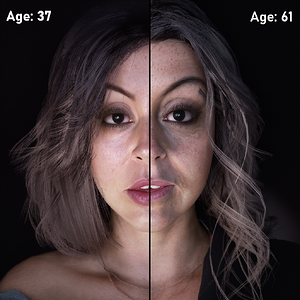
Thanks! But this is strange, they look much more detailed on your screenshots... I also use DLSS and Neural Rendering. What are your graphics or DLSS settings? Or is it a special LUT?
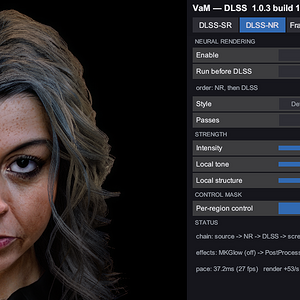
My typical settings:
SR set to Ultra Quality
NR Run before DLSS
Style Natural
Passes 2
Intensity .62
Local tone 1.47
Local Structure 1.47
Nvidia 5060 Series
User Preference settings are mostly mid-range, DLSS takes care of most of that.
I may have bumped to 3 passes for this shot, I don't remember, but that isn't always better.
Your lighting is going to be more important than anything because it makes or breaks quite a bit. The scene that came with this look has a lighting subscene I made specifically to improve DLSS5. Feel free to take settings from it/use it elsewhere.
Post magic also helps, but you have to play around with it in DLSS. The only editing I do on my images is combining them in Microsoft Paint. Everything you see is exactly how it looks on my end.
Thank you for these details! Now I found the problem.
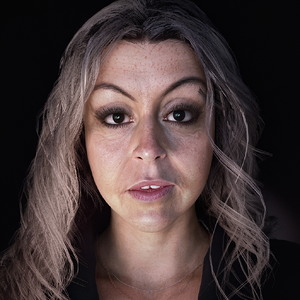
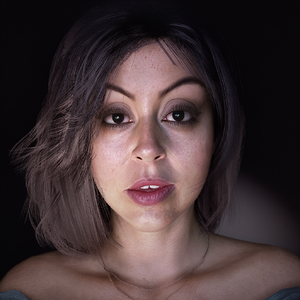
It is just a bug! Click on the "aged" pictore, then check the skin textures - there are NO decals or diffuse maps loaded. Then click on the picture again - and it works!
Thank you for these details! Now I found the problem.
It is just a bug! Click on the "aged" pictore, then check the skin textures - there are NO decals or diffuse maps loaded. Then click on the picture again - and it works!
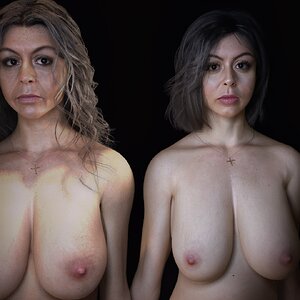
I actually discovered the problem. Its directly tied to the nipple clipping reducer plugin. The first look loads with it because she pokes through the shirt, but the second, older look, does not. For whatever reason this causes an error.
Ill be using a different work around in the future. Shouldn't be an issue again!