• Hi Guest!

    We have posted a new VaM2 dev log on Patreon, starting a monthly cadence of written progress updates between Beta releases. Highlights include the new Gizmos System, Selection Carousel, and Modes System with Context-Specific Editing. Beta1.2 is 15 of 21 items complete.

    Read the full post on Patreon, or follow progress on the public Trello roadmap.
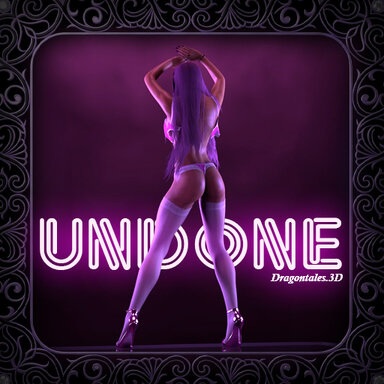
Undone

Scenes Undone

Download [71.29 MB]

Dragontales

Well-known member
Featured Contributor
Joined
Jun 12, 2020
Messages
603
Reactions
2,182
Dragontales submitted a new resource:

Undone - She Dances 'til she's "Undone"

UNDONE!
A Hot and Sexy Dance / Strip Tease.
Mocap by the one and only @VamTimbo
- Thank you so much your always highest quality mocaps and allowing some for re-use.


This scene is aptly named for another reason.
Because I became "Undone" trying to get it finished, packed up and...

Read more about this resource...
 
Wow, it's an absolute amazing scene. Respect for the outstanding work!
 
Wonderful scene. I love dancing scenes, and this one you released is one of the better one.

I do have a question. The hair keeps changing as the scene progresses. It was a little immersion breaking in VR, but I assumed that was what you wanted. However, when I changed the Look to one of my choosing, the hair continue to cycle through your presets. I looked into the details behind the scenes, but since I am not technical enough to understand what's going on, I could not get this to stop happening. Your insights would be much appreciated.

Actually one more question: the default expressions in your scene (i.e the huge grin) carries over when I changed Looks. As you probably know, morphs have quite different end results on different Looks. Your character's huge smile applied to my preset made her look like Green Goblin. I started clicking off various plugins and I think I tamed it a little. But I would also appreciate tips on how I can set the expressions to default. I hope to be able to use VamTimbo's ExpressionRandomizer which is my go-to for giving some life to the Looks.

Thanks again for an awesome scene.
 
Wonderful scene. I love dancing scenes, and this one you released is one of the better one.

I do have a question. The hair keeps changing as the scene progresses. It was a little immersion breaking in VR, but I assumed that was what you wanted. However, when I changed the Look to one of my choosing, the hair continue to cycle through your presets. I looked into the details behind the scenes, but since I am not technical enough to understand what's going on, I could not get this to stop happening. Your insights would be much appreciated.

Actually one more question: the default expressions in your scene (i.e the huge grin) carries over when I changed Looks. As you probably know, morphs have quite different end results on different Looks. Your character's huge smile applied to my preset made her look like Green Goblin. I started clicking off various plugins and I think I tamed it a little. But I would also appreciate tips on how I can set the expressions to default. I hope to be able to use VamTimbo's ExpressionRandomizer which is my go-to for giving some life to the Looks.

Thanks again for an awesome scene.
Hi. Yeah, the hair changes were part of the scene and done on purpose. They're done with the Presetless plugin so you could probably just turn that off or remove the presets inside it. The facial expressions are done in a timeline instance on the figure. You can go into it and see all the different expressions and remove any you don't want. Otherwise, you could likely just turn off the entire plugin.
 
Back
Top Bottom