• Hi Guest!

    We have posted a new VaM2 dev log on Patreon, starting a monthly cadence of written progress updates between Beta releases. Highlights include the new Gizmos System, Selection Carousel, and Modes System with Context-Specific Editing. Beta1.2 is 15 of 21 items complete.

    Read the full post on Patreon, or follow progress on the public Trello roadmap.
UnderOcean

Scenes UnderOcean

Download [3 MB]

supperGR

Well-known member
Featured Contributor
Joined
Oct 24, 2022
Messages
170
Solutions
1
Reactions
596
This is amazing, love it :) I have found a glitch though, if I change any of the poses to one not included in you scene and save as a new scene... my new pose breaks when loading the new scene. I have tried removing most of the triggers and animations from your scene but it still happens... any advice?
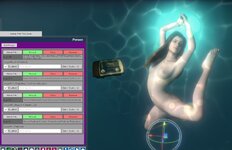

 
This is amazing, love it :) I have found a glitch though, if I change any of the poses to one not included in you scene and save as a new scene... my new pose breaks when loading the new scene. I have tried removing most of the triggers and animations from your scene but it still happens... any advice?
Hi there, can you tell me more about "pose breaks when loading the new scene"?
I guess when you switch to your pose, the character's limbs start to twist unnaturally?? If that's the case, it's because some of the original poses will automatically run the corresponding Timeline animation after being triggered. You still need to delete the animation corresponding to the pose
 
Hi there, can you tell me more about "pose breaks when loading the new scene"?
I guess when you switch to your pose, the character's limbs start to twist unnaturally?? If that's the case, it's because some of the original poses will automatically run the corresponding Timeline animation after being triggered. You still need to delete the animation corresponding to the pose
Thanks for responding so quickly :) I'll check the scene again and let you know...
 
Thanks for responding so quickly :) I'll check the scene again and let you know...
Hi, so I replaced your first pose with mine, removed the timeline plugin (screen1), saved the scene... reopened it and my pose is replaced by your first pose again (screen2). I'm trying not to delete too much of you work... all I I'm trying to do is replace some of your poses with mine...
 

Attachments

  • screen1.jpg
    screen1.jpg
    152.7 KB · Views: 0
  • screen2.jpg
    screen2.jpg
    142.4 KB · Views: 0
Hi, so I replaced your first pose with mine, removed the timeline plugin (screen1), saved the scene... reopened it and my pose is replaced by your first pose again (screen2). I'm trying not to delete too much of you work... all I I'm trying to do is replace some of your poses with mine...

I see!! :geek:

You can check the "00_0LogicBrick" atom. There was a "EventSceneLoad" plugin. I set it up to automatically load my first pose and run the corresponding animation when entering the scene. Deleting the corresponding script here should solve your problem!

If you make modifications like this, you won't need to delete the timeline plugin anymore so other animations could work as usual
 
I see!! :geek:

You can check the "00_0LogicBrick" atom. There was a "EventSceneLoad" plugin. I set it up to automatically load my first pose and run the corresponding animation when entering the scene. Deleting the corresponding script here should solve your problem!

If you make modifications like this, you won't need to delete the timeline plugin anymore so other animations could work as usual
You are a star, thank you so much... that worked like a charm :)

Keep up the great work, your scenes are really well done...
 
Back
Top Bottom