• Hi Guest!

    We have posted a new VaM2 dev log on Patreon, starting a monthly cadence of written progress updates between Beta releases. Highlights include the new Gizmos System, Selection Carousel, and Modes System with Context-Specific Editing. Beta1.2 is 15 of 21 items complete.

    Read the full post on Patreon, or follow progress on the public Trello roadmap.
Character_Creator V 1.0

Toolkits + Templates Character_Creator V 1.0

Download [6.45 MB]

BIGGCANE55

Member
Joined
Nov 2, 2024
Messages
21
Reactions
39
BIGGCANE55 submitted a new resource:

Character_Creator V 1.0 - Basic Character Creator

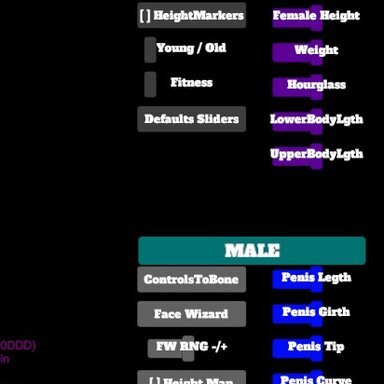
Wanted a basic character creator. Uses mainly built in morphs. I will add and tweak the defaults and sliders. Feel free to use and improve if you can. Hopefully this will help with arduous task of creating unique looks, but that fit in the same "world" so to speak. Plugins that are mainly used are the DOCKUI plugin to create the menu. Awesome tool!!!! There are other plugins in the person atoms. Ones i have found useful for creating animation and scenes. Also has the Deeper...

Read more about this resource...

 
Glad to you're still working on this. Is there a way to allow adding our own morphs to the UI? Like a well-known morph pack?
 
Glad to you're still working on this. Is there a way to allow adding our own morphs to the UI? Like a well-known morph pack?

So short answer is yes.. Add an action and the person, geometry, and then choose what morph you want the slide to effect (Note: it can only see morphs you have tagged as favorite. I spent 1 hour trying to figure out why none were showing as an option lol).

1. Open up the UI Female Creator atom (not the person atom).
2. Add in a new Dock UI plugin (or add to an existing one as a new button).
a. Each DockUI plugin acts as a master to its button, and can be placed in a different location on screen.
3. From there just add a slider, name it, and attach the actions. I am working with set ranges, so any morphed character will reset any morphs on the UIs sliders to that range, meaning you may lose you custom morph of the character.
 
Here is a shot of using the three body types, and some tweaking on the face after Face Wizard.
 

Attachments

  • CC_Promotinal.jpg
    CC_Promotinal.jpg
    126.4 KB · Views: 0
Back
Top Bottom