
• Hi Guest!

    We are extremely excited to announce the release of our first Beta1.1 and the first release of our Public AddonKit!
    To participate in the Beta, a subscription to the Entertainer or Creator Tier is required. For access to the Public AddonKit you must be a Creator tier member. Once subscribed, download instructions can be found here.

    Click here for information and guides regarding the VaM2 beta. Join our Discord server for more announcements and community discussion about VaM2.
  • Hi Guest!

    VaM2 Resource Categories have now been added to the Hub! For information on posting VaM2 resources and details about VaM2 related changes to our Community Forums, please see our official announcement here.
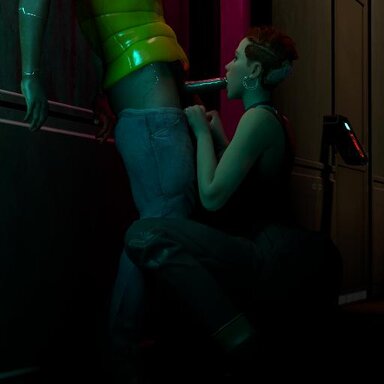
Aurore: Professional Cocksucker (ThroatSFX demo)

Scenes Aurore: Professional Cocksucker (ThroatSFX demo)

Download [12.4 MB]

Geraldo

Active member
Joined
May 12, 2024
Messages
41
Solutions
3
Reactions
192
Geraldo submitted a new resource:

Aurore: Professional Cocksucker (ThroatSFX demo) - A french netrunner sucks cock in the corridor

- Disclaimer

Known small issue: VAM states that Geraldo.ThroatSFX.1.var is not on the hub and may flag that you're missing dependencies, but this happens because when loading this .var using AudioMate into a scene, you load a whole folder, and not an individual file. The way to avoid this issue would be to manually add each audio sample, which is impractical for...

Read more about this resource...
 
The issue with the scene is the scene packaging, not the ThroatSFX var. The paths in the scene file should not refer to AddonPackages/Geraldo.ThroatSFX.1.var. All paths in the scene should look like Geraldo.ThroatSFX.1:Custom/Sounds/ThroatSFX/1.mp3 and so on. The meta.json should list Geraldo.ThroatSFX.1 as the dependency. The meta.json and the scene file have incorrect paths. I fixed my copy locally, and it works just fine.
 
Thanks man! Could you explain how you did it? Because the only way I found how to add the audio files in the correct "Geraldo.ThroatSFX.1:Custom/Sounds/ThroatSFX/xx.mp3" path was to manually add each audio file.
 
In Package manager, you can add a directory and it takes everything in that directory. Unless you have AddonPackages/AddonPackages in your Vam folder, the paths are all incorrect. I did a global edit on the scene file, and a simple character deletion on the meta.json. Files inside a var should never have the strings "AddonPackages" or "var" inside them. In the Scene audio tab, you do have to list each one, the way the sounds are packaged.

In general, the preferred way to handle a large number of sounds is to put them in a Unity Audiobundle. Then you can use the plugin PlayRandomSoundFromAB. I don't exactly know how to do that, but there is a tut on Unity assetbundles, which is the same thing, but for audio.
 
Man, I was able to fix it, but it sucks to know that adding the whole folder via AudioMate causes this issue.
I'll see what I can do about the Audiobundle, thanks for letting me know.
I'm posting an update soon.
 
Back
Top Bottom