

follow
-
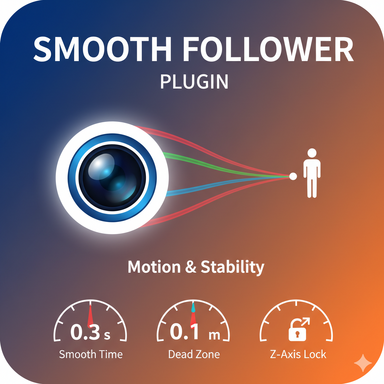
Plugins + Scripts Smooth Follower 2
Hub-Hosted VAR CC BY-NDOverview This plugin provides the ability for the object it's attached to, to smoothly follow a specific target (e.g., a character's head, a moving prop). It is designed to achieve natural and stable camera work, similar to that of a professional camera operator. Main Features Flexible...- Goodsun
- Resource
- atom control follow smooth follower windowcamera
- Category: Plugins + Scripts
-
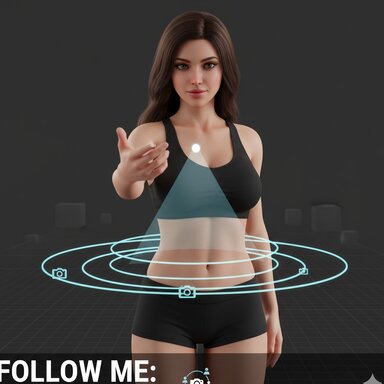
Plugins + Scripts Follow Me: Automatic Look and Turn 1
Hub-Hosted VAR CC BY-NC-NDFollow Me is a simple but powerful plugin that makes your character naturally look at you — and even turn their body if you move behind them. Perfect for adding immersion and life to your scenes with zero extra setup. ✅ Features Smooth, natural head and chest look-at behavior Automatic...- 04_PG
- Resource
- animation automatic follow
- Category: Plugins + Scripts
-

Plugins + Scripts UI Tweaks 7
Hub-Hosted VAR CC BYA session plugin that adds various quality of life improvements to VaM UI. Each one can be individually disabled in the session plugin UI. Installation & UI Camera refocus/follow Alt+MiddleMouseButton or MouseForward to refocus camera on point in a scene. Ctrl+MiddleMouseButton or MouseBack...- qdaro
- Resource
- camera focus follow morph mousescrollwheel qol quality of life
- Category: Plugins + Scripts

-
S
Question Text that follows the Player/UI
Hi all, I am looking for a way to keep informational text in the HUD of the Player. Ideally, I would like to change the containing text using TimeLine from Acid Bubbles, but if I need to use the build-in scene animation, thats fine too.- Soprano74
- Thread
- camera follow hud text
- Replies: 2
- Forum: Questions & Answers