


-

Assets + Accessories Sport Balls
OMG!! How you move sport balls In video preview with physic in VAM, just one click? -
VaM 1.x any way to see what takes fps in a scene?
Yes. Assets can also take fps by: - Asset model triangle count; - Shadows from asset model can double the triangle count to (this is how shadows work. Each light atom creates a shadow by projecting the resource model onto the surface. Therefore, the more light with activated shadows, the more...- chakchak
- Post #6
- Forum: Questions & Answers
-
VaM 1.x Cartoon rendering test
Finally anime in VAM! Great job. Really looks like favorite gacha game. All those multiple settings look amazing. Truly talented. -
Question Increase the view distance?
Your discussion gave me some ideas on how to solve this issue. Although a lot of time has passed. Have you solved it? I somehow couldn't solve it, even after checking the suggested resources. And I created my own. Maybe it will be useful? ->...- chakchak
- Post #7
- Forum: Questions & Answers
-
Assets + Accessories Camera clipping fix ( increase camera render/view range )
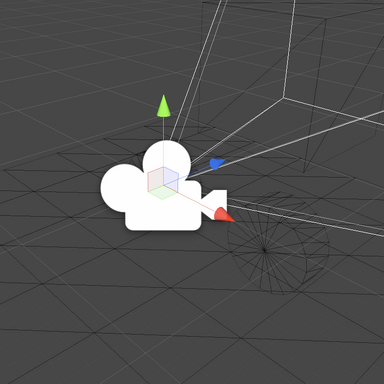
chakchak submitted a new resource: Camera clipping fix ( increase camera render/veiw range ) - asset with script that affects camera range in VAM Read more about this resource... -
Assets + Accessories Camera clipping fix ( increase camera render/view range ) 1.0
Hub-Hosted VAR FCFor my large projects with big map, the camera clipping has small render distance and it was a big problem. So this CUA Asset increase camera distance render on the scene. VAR file contain : - Asset to affect camera distance - .dll file for the script to work correctly - original code in...- chakchak
- Resource
- camera
- Category: Assets + Accessories
-
-

Star Wars: The Old Republic
- chakchak
- Album
- Comments: 0
- Category: SFW/Artistic Albums
-
Question CUA shaders, Vamifier ignoring roughness/gloss
You can also try calculating normals and tangents in the import settings for the model settings, just like in the screenshot. In some cases, this helped me solve some other shadow issues.- chakchak
- Post #3
- Forum: Questions & Answers
-
Question CUA shaders, Vamifier ignoring roughness/gloss
I encountered a similar problem with shadows and light. And it seems to be solved by checking whether shadow casting is enabled for the Asset itself in Unity, as in the screenshot. And you should also enable shadows for Point Light(in VAM) and then such problems should disappear. And the Unity...- chakchak
- Post #2
- Forum: Questions & Answers
-

Environments The Pali Gap Coast - secret room - The Witcher 3 1.0
Hub-Hosted VAR CC BYVAR file contain : - Map location, Unity realtime lights prefab, Reflection probe prefab ( for SkyMagic ) ; - Scenes ( no Light, Unity Realtime Lights, Baked Lights ) ; - Default colliders and some Mesh Colliders ; - Reflection probe - For SkyMagic workflow. ( It's already set up to work so you...- chakchak
- Resource
- bedroom game environment port the witcher the witcher 3 video game witcher
- Category: Environments


-
Environments The Pali Gap Coast - secret room - The Witcher 3
chakchak submitted a new resource: The Pali Gap Coast room - Witcher 3 - Fabric stuff Read more about this resource... -

Paid Environments Golden room - Genshin 2.0
VAR file contain : - Map location + .dll - Scenes ( with Unity realtime lights, and without lights ) - Default colliders, Mesh Colliders and custom colliders ( Not all objects will have colliders ) - 2K and 4K texture upscaled ( with .jpg format to reduce memory size ) - .dll file -> for...- chakchak
- Resource
- anime game game environment genshin impact gold location port video game
- Category: Environments


-
Paid Environments Golden room - Genshin
chakchak submitted a new resource: Golden room - Genshin - need more more gold Read more about this resource... -

Even more mora
- chakchak
- Media item
- anime game genshin impact
- Comments: 0
- Album: Anime game
- Category: SFW/Artistic Albums


