

-

Plugins + Scripts [PersonToCUA Motion ]Character Export, Animation Recording & Playback
I must be missing something still haha. I've tried loading the plugin on a cua in a new scene but the animation that I successfully exported doesn't show up. Is there a step to save it that I'm missing perhaps? -
Plugins + Scripts [PersonToCUA Motion ]Character Export, Animation Recording & Playback
First off, this is such a cool plugin. Awesome job creating this! Not sure if I've missed something in your instructions, but is it possible to save the cua export that's created as a file or "preset" so to speak that can be loaded in other scenes? Or is the cua export only limited to the scene... -
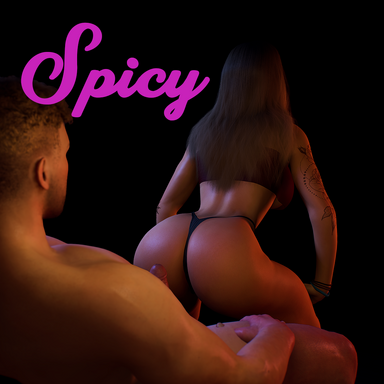
Scenes Spicy - Lapdance v1
Hub-Hosted VAR CC BY"Now tell me who tryna, who tryna go? Who gon' drop it down like there's money on the floor?" 👀 Ladies and (mostly)Gentleman... This hot little thing wants nothing more than to throw ass for you all night long! ...or at least until the song ends. Then she wants to FUCK! That's right, this spicy... -
VaM 1.x Camera Rig / World is tilted after messing with embody in VR and Desktop mode.
Editing the .json file did the trick! Thank you so much!! :) -
VaM 1.x Camera Rig / World is tilted after messing with embody in VR and Desktop mode.
Hello everyone! I've encountered an issue recently after using different embody modes in VR on different atom persons. I was setting up UI buttons to help switch between the two in VR, one for Snug to control and atom, and another to set back to passenger (with freelook) for when I was back on... -
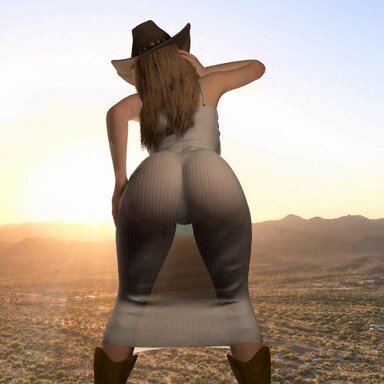
Clothing Western Hats and Boots v1
Hub-Hosted VAR CC BYHowdy! Here's a collection of three cowboy hats and two pair of western boots to give your cowgirls the attire they deserve. Please note that any major morph changes to person atoms may disfigure the hats or boots but I've tried to make them as compatible as I can. These items currently are only... -
Clothing Western Hats and Boots
screwy submitted a new resource: Western Hats and Boots - For when she wants you to put the YEE in her HAW Read more about this resource... -
Guides Video Guide on how to fit and import any 3d Clothing Item to Virtamate
Seems like that was the issue! Thank you so much for your help! -
Guides Video Guide on how to fit and import any 3d Clothing Item to Virtamate
Awesome guide, makes the process very easy! I have run into an issue however. Not sure if I'm exporting these models incorrectly or if I happen to just miss a step. For some reason when I load them into vam they have gaps and missing parts. I've gone back to blender and daz and as far as I can... -
Environments Castaway Island
screwy submitted a new resource: Castaway Island - Is this a terrible fate, or just a relaxing get away? Read more about this resource... -
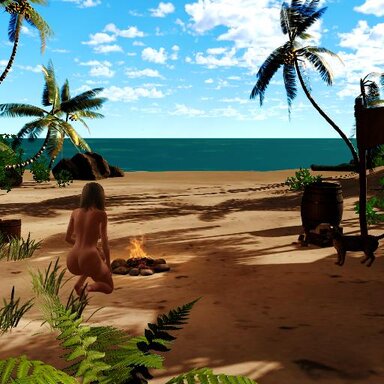
Environments Castaway Island v1
Hub-Hosted VAR CC BYWelcome to Castaway Island! This exotic beach paradise is your next stop for a relaxing vacation, or perhaps a perilous fight for survival... I tried to make a semi-realistic environment mashup using an assortment of assets available here on the hub and I think it turned out nicely. My biggest...- screwy
- Resource
- beach beach day beach night castaway island relaxing
- Category: Environments
-
Scenes The Gym Thot
Thanks for the feed back, glad you liked it! I can definitely look into adding the option for toggling the clothes on/off but might be tricky since it's all set up using presets at the moment. As for the POV, there's an option to lock the camera rotation for embody which you can select in the... -
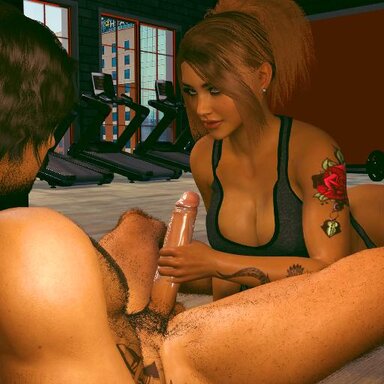
Scenes The Gym Thot v1
Hub-Hosted VAR CC BYYou've been going to this new gym for a few weeks now and couldn't help but notice this one bad bitch that seems to always be stealing glances with you. Today is the day. You finally get the nerve to speak to the beautiful thing, and to your surprise she's interested in you too. A bit of a diva... -
Scenes The Gym Thot
screwy submitted a new resource: The Gym Thot - She asked to see your workout routine but was really just hungry for your dick... Read more about this resource... -
Scenes Fallout: Vault Meat
The Pose it menu is only active when the F1 menu for VAM is showing. Try toggling F1. If that doesn't work make sure you're selecting either "Start Scene" or "Skip Intro" buttons at scene load because those should make the pose menu appear too. Hope this helps! -
Scenes Fallout: Vault Meat
screwy updated Fallout: Vault Meat with a new update entry: Fallout Vault Meat v3 Update Read the rest of this update entry... -
Scenes Fallout: Vault Meat - Fallout Vault Meat v3 Update
Hello there! Here's a new update for Fallout Vault Meat. Version 3 brings some minor tweaks and fixes with a couple new positions as well! - added female pov toggle - added two new sex positions - added Gaze head movement for most positions (can be toggled off in the options menu) - adjusted... -
Scenes Jogging Animation
screwy updated Jogging Animation with a new update entry: Update v2 Read the rest of this update entry... -
Scenes Jogging Animation - Update v2
Fixed some weird dependency issues that made their way into the var, should be a bit lighter now. -
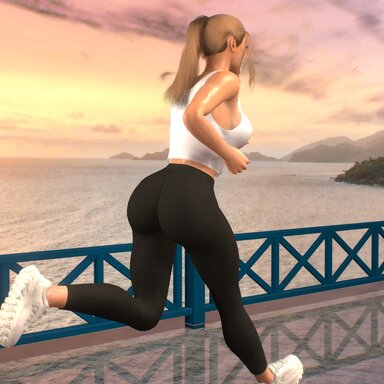
Scenes Jogging Animation v2
Hub-Hosted VAR CC BYWell hello there! I have created a delightful running/jogging animation for your viewing pleasure! Ever seen those hot chicks running down the street with them booty shorts or sexy leggings on? Don't lie, I know you have... You're in luck though because with this scene you get to stare right at...