


-
Hi Guest!
We are extremely excited to announce the release of our first Beta1.1 and the first release of our Public AddonKit!
To participate in the Beta, a subscription to the Entertainer or Creator Tier is required. For access to the Public AddonKit you must be a Creator tier member. Once subscribed, download instructions can be found here.
Click here for information and guides regarding the VaM2 beta. Join our Discord server for more announcements and community discussion about VaM2. -
Hi Guest!
VaM2 Resource Categories have now been added to the Hub! For information on posting VaM2 resources and details about VaM2 related changes to our Community Forums, please see our official announcement here.

-

Plugins + Scripts Orifice Dynamics
i've already answered this in previous chats with a tutorial video clip, check it out in page 13: https://hub.virtamate.com/threads/orifice-dynamics.65387/post-229563 -
Plugins + Scripts Skin Vertex Link
sure thing, i'm used to writing upper case by toggling caps lock key. didn't think shift key was the usual for that but anyhow, it's probably better to just offer custom input fields so anyone can set up their own custom keybinds that won't conflict with anything else they have. -
Plugins + Scripts Skin Vertex Link
hmm perhaps morphs made for victoria 5 instead of base female? i really can't tell where that might stem from -
Plugins + Scripts Skin Vertex Link
for sure bro, i'm already aware of that. the Shift +T keybind was an eyeballed key-bind nonetheless, how would i know that somebody presses Shift + T on a regular basis? seems unlikely to me but thanks for the feedback -
Plugins + Scripts Orifice Dynamics
yep it's very easy but tedious like you said -
Plugins + Scripts Orifice Dynamics
you can find the tutorial on how to use puppeteer in the puppeteer plugin's page, there a couple of tutorial video clips there -
Plugins + Scripts Orifice Dynamics
yeah it should be able to do that in one prompt basically, but only for local scenes as vscode can't read .var files i think -
Plugins + Scripts Orifice Dynamics
yeah for sure in that case you can open your scenes folder in vscode and tell copilot to replace all found instances in all files. it'll do the tedious work for you pretty quickly -
Plugins + Scripts Orifice Dynamics
you need to use this plugin with it: https://hub.virtamate.com/resources/puppeteer-advanced-bone-control.58434/ -
Plugins + Scripts Skin Vertex Link
well that's kinda odd, how can a morph have deltas of non existing vertices? 🤔 -
Plugins + Scripts Stopper's Cua Clothing Alt
possible yeah, perhaps in future updates -
Plugins + Scripts Orifice Dynamics
1. there is no teeth colliders in vam though? i think by that you mean the tongue collision no? 2. hands are already registered as penetrators, with individual finger alignment feature. 3. i don't use it personally so i dont know if that's possible atm. 4. the plugin can indeed work with HQ... -
Plugins + Scripts Orifice Dynamics
tongue collision ignoring logic won't trigger unless in the event of penetration exit & re-entry in orifice, if penetrator is currently detected in orifice the toggle won't work right away. this is internally made as such for performance reasons -
Plugins + Scripts Orifice Dynamics
i have said in the update description that you have to rename a keyword in you scene files so it can be backwards compatible + full restoration of settings included. please go check the steps required in the updates page -
Plugins + Scripts Skin Vertex Link
to be honest i completely forgot about this lol -
Paid Plugins + Scripts SkinSSS - Subsurface Scattering & Custom Skin Shading (Beta)
Yep for now it is loaded on each person atom, In the future i might look into supporting the skin materials tab or at least the relevant parameters from it for sure (y) -
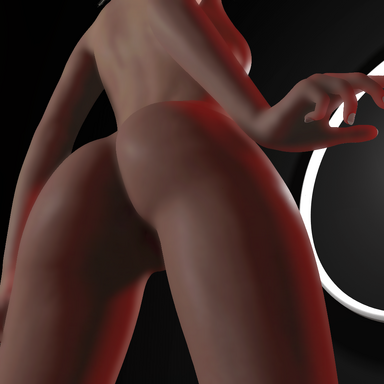
Paid Plugins + Scripts SkinSSS - Subsurface Scattering & Custom Skin Shading (Beta) 1
-- Description: - Plugin that aims to increase skin rendering realism by replacing the native skin shader with added screen-space subsurface scattering approximation. -- Contents: - SkinSSS script files, mask texture files and shaders packed in an assetbundle file. -- How to use? - Simply load...- Skynet
- Resource
- pbr skin realistic skin skin shader skin sss subsurfacescatter
- Category: Plugins + Scripts
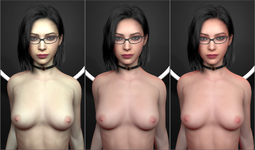
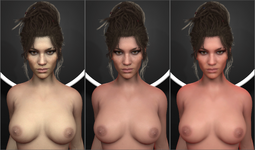
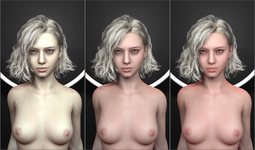
-
Paid Plugins + Scripts SkinSSS - Subsurface Scattering & Custom Skin Shading (Beta)
Skynet submitted a new resource: SkinSSS - Subsurface Scattering & Custom Skin Shading (Beta) - Make skin look a little more realistic! Read more about this resource... -
Paid Plugins + Scripts Fluid Dynamics (Beta)
that is planned for future updates yep -
Plugins + Scripts Orifice Dynamics
you should use it in conjunction with puppeteer loaded on the tentacle, add physics controllers to the tentacle tip and mid bones to help guide the tentacle better. you can animate the controllers afterwards for in/ out penetration, should look something like this: