


-
Hi Guest!
We are extremely excited to announce the release of our first Beta1.1 and the first release of our Public AddonKit!
To participate in the Beta, a subscription to the Entertainer or Creator Tier is required. For access to the Public AddonKit you must be a Creator tier member. Once subscribed, download instructions can be found here.
Click here for information and guides regarding the VaM2 beta. Join our Discord server for more announcements and community discussion about VaM2. -
Hi Guest!
VaM2 Resource Categories have now been added to the Hub! For information on posting VaM2 resources and details about VaM2 related changes to our Community Forums, please see our official announcement here.

-

Looks Sweet Birdy
Clownmug submitted a new resource: Sweet Birdy - Bartender Read more about this resource... -
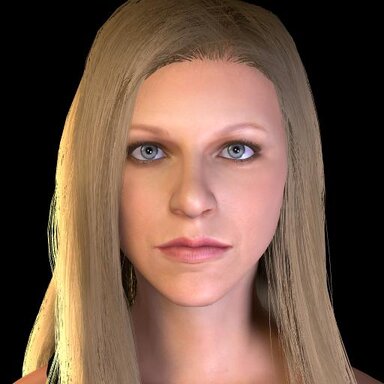
Looks Sweet Birdy 1
Hub-Hosted VAR CC BYLookalike of a sweet bird lady from Philly. -
Looks Tapioca
Clownmug updated Tapioca with a new update entry: Version 3 Read the rest of this update entry... -
Looks Tapioca - Version 3
- Slightly adjusted facial morphs -
Looks Tapioca
Clownmug updated Tapioca with a new update entry: Version 2 Read the rest of this update entry... -
Looks Tapioca - Version 2
- Revised textures and slightly adjusted morphs -
VaM 1.x Environment Lighting
If you don't mind faking it another thing you could try to make a sunlight beam is to use the HPVL plugin. Just make some volume lights without spheres or noise then place them wherever the beams should peak through. https://hub.virtamate.com/resources/high-performance-volume-light.25972/- Clownmug
- Post #4
- Forum: Questions & Answers
-
Looks T-X - Version 2
- Revised textures and slightly adjusted morphs -
VaM 1.x how to save look for entire scene??
You could try enabling "Lock Controlled Param Values" under the Appearance Presets Tab. Might have to also do the same for the Hair Presets and Clothing Presets Tabs for good measure. -
Looks Maymi
Clownmug updated Maymi with a new update entry: Version 3 Read the rest of this update entry... -
Looks Maymi - Version 3
- Revised textures and adjusted morphs slightly -
Looks Humpday Roommate
Clownmug updated Humpday Roommate with a new update entry: Version 2 Read the rest of this update entry... -
Looks Humpday Roommate - Version 2
- Slightly adjusted morphs - Slightly adjust hair for alt persona -
Looks Humpday Roommate
Clownmug submitted a new resource: Humpday Roommate - Bubbly Roommate Read more about this resource... -
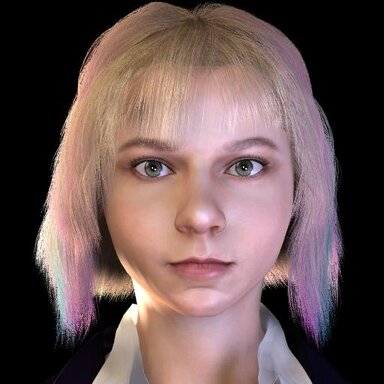
Looks Humpday Roommate 2
Hub-Hosted VAR CC BYLookalike of Humpday's roommate. -
VaM 1.x How to Blender model to usable Look
That's the only one I know unfortunately. You could try going through the VaM: Guides section to get more context for some parts of his workflow though. Some of these might be helpful for example. Wrapping: https://hub.virtamate.com/resources/your-endallbeall-guide-to-wrapping.25174/ Morph... -
Looks Humpday
Clownmug updated Humpday with a new update entry: Version 2 Read the rest of this update entry... -
Looks Humpday - Version 2
- Slight adjustments to morphs - Added eyeshadow to alter ego appearance