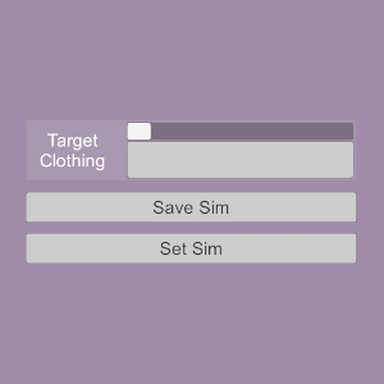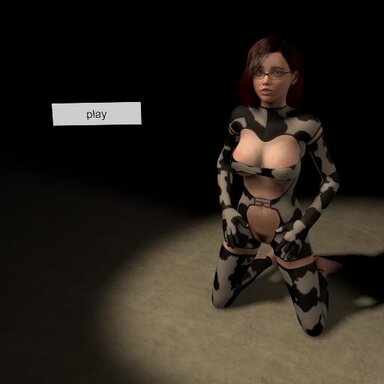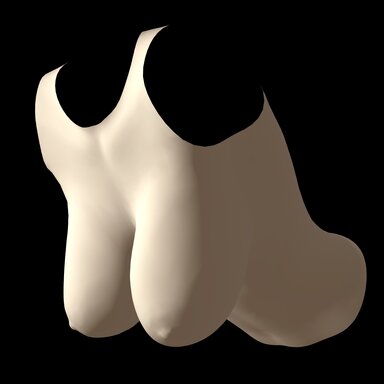



A test.
This script will adjust the rigidity (skin joint) of sim clothing vertices between their base value and 0, based on a threshold value. The threshold can be mapped on a texture, just like sim weight; it even reads from the red channel, so you can repurpose existing sim textures.
Very experimental, no saving or loading or registered variables yet. If things start freaking out for some reason, reload the script and clothing.
Steps:
1. Load script onto person atom.
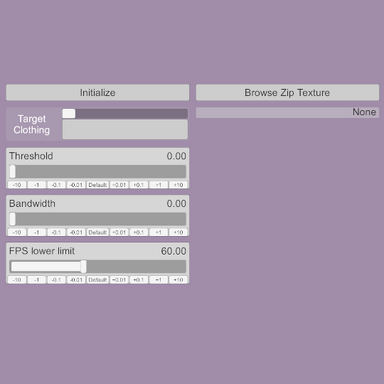
2. Use the selection menu to choose an active sim clothing item. It should initialize automatically, but if needed it can be reinitialized with the "Initialize" button.
3. Optionally, use "Browse Zip Texture" to choose a texture to map the threshold values for the cloth vertices. The red channel of the texture will be read as the threshold value for the sim; therefore, regular sim textures can be used for this, just to slightly different effect. A cloth sim's vertices will be set to their base rigidity when above the threshold and to 0 when below the threshold. If there is no zip texture present, the clothing item's base rigidity will be used as a threshold map.
4. Adjust threshold and bandwidth sliders to adjust the rigidity of the clothing. The threshold slider controls the threshold value for the sim, and the bandwidth value applies a smoothing to the transition to minimize artifacts. Bandwidth is clamped based on threshold so at high or low threshold values the bandwidth will have less effect.
5. There is a catch to skip iterations if the averaged FPS over the previous 50 frames drops below the value set by the FPS lower limit slider. It will iterate again when the value increases. Much like Stripwise, this has to apply every value change to every vertex on a clothing item, so it can get cumbersome.
I did my testing on YameteOuji's blouse and jacket clothing items, which helpfully have multiple sim textures ready to go for use as the zip texture, if you want a good place to start. There's some pretty good results if you use the jacket's default sim (closed) and select its open sim texture as the zip texture.
This script will adjust the rigidity (skin joint) of sim clothing vertices between their base value and 0, based on a threshold value. The threshold can be mapped on a texture, just like sim weight; it even reads from the red channel, so you can repurpose existing sim textures.
Very experimental, no saving or loading or registered variables yet. If things start freaking out for some reason, reload the script and clothing.
Steps:
1. Load script onto person atom.
2. Use the selection menu to choose an active sim clothing item. It should initialize automatically, but if needed it can be reinitialized with the "Initialize" button.
3. Optionally, use "Browse Zip Texture" to choose a texture to map the threshold values for the cloth vertices. The red channel of the texture will be read as the threshold value for the sim; therefore, regular sim textures can be used for this, just to slightly different effect. A cloth sim's vertices will be set to their base rigidity when above the threshold and to 0 when below the threshold. If there is no zip texture present, the clothing item's base rigidity will be used as a threshold map.
4. Adjust threshold and bandwidth sliders to adjust the rigidity of the clothing. The threshold slider controls the threshold value for the sim, and the bandwidth value applies a smoothing to the transition to minimize artifacts. Bandwidth is clamped based on threshold so at high or low threshold values the bandwidth will have less effect.
5. There is a catch to skip iterations if the averaged FPS over the previous 50 frames drops below the value set by the FPS lower limit slider. It will iterate again when the value increases. Much like Stripwise, this has to apply every value change to every vertex on a clothing item, so it can get cumbersome.
I did my testing on YameteOuji's blouse and jacket clothing items, which helpfully have multiple sim textures ready to go for use as the zip texture, if you want a good place to start. There's some pretty good results if you use the jacket's default sim (closed) and select its open sim texture as the zip texture.