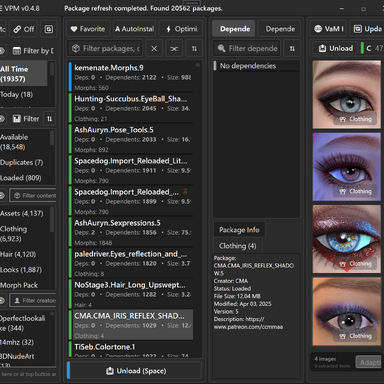
Hi all, this is an update to the VPM app that adds support to the VPB plugin.
VPB = my fork of the excellent "var_browser" plugin created by
sFisherE
In this update you are able to launch a scene directly from VPM without having to open VaM and navigate trough the gallery.
Feature is called VDS, VaM Direct to Scene. VPB plugin is required to be installed in order order for VDS feature to work.
Credits for the VDS idea goes to
techwoof Thanks!
If you have ideas or want to contribute to either VPM or VPB projects please reach out. Discord is open.
To use the VDS feature just update to latest VPM v0.4.17 and VBP v0.04
Then select a package -> Load all dependecies -> Right Click -> Launch Scene
Or from the image preview grid, there will be a rocket button if the image is the preview for a Scene.
For advanced users, you can use VPB VDS launcher mode trough a terminal command, or a .bat file etc. VPB accepts configuration flags.
Visit GitHub for more details.