



Contains executable files or external scripts. Ensure you trust the creator and apply your own security measures.
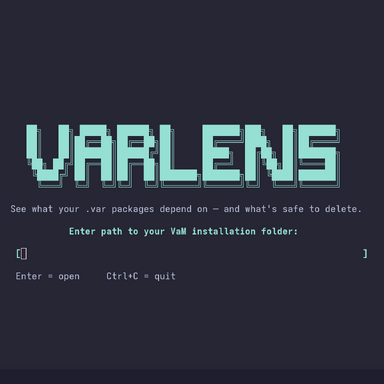
An interactive terminal UI for managing .var packages — browse your library, inspect dependencies, find unused packages, and safely delete them.

If VarLens has been useful to you, consider giving it a star on GitHub — it helps others discover the project and keeps me motivated to improve it. Thank you!
Features
- Browse and filter your package library
- Inspect dependencies for any package
- Safely delete packages and their exclusive dependencies
- Orphan finder — Identify packages not used by anything else
- Missing Packages — Identify missing packages needed by others
- SQLite cache — Only re-scans packages that have changed, keeping startup fast on large libraries
Requirements
On Windows,curses is not included with Python. Install it first:
Bash:
pip install windows-cursesUsage
Bash:
python VarLens.py                     # Prompts for your VaM directory on launch
python VarLens.py /path/to/VaM        # Or pass the path directly
Detail Panel
- Creator, license, size, and file path
- Direct dependencies— packages this .var explicitly requires to work, each tagged with a status:
- [ok | only you] — safe to remove alongside this package
- [ok | +N others] — shared with N other packages, will be kept
- [MISSING] — referenced but not installed
- All transitive dependencies — packages pulled in indirectly through direct dependencies
- Used by — which packages depend on this one, none means it's safe to delete
Controls
| Key | Action |
| ↑ / ↓ | Navigate |
| / | Filter |
| j / k | Scroll detail panel |
| I | Package info |
| D | Delete package + dependencies |
| O | Orphan finder |
| M | Missing Packages |
| Q | Quit |
If VarLens has been useful to you, consider giving it a star on GitHub — it helps others discover the project and keeps me motivated to improve it. Thank you!
Contains executable files or external scripts. Ensure you trust the creator and apply your own security measures.