>add clothing item
>it freaks out and clips through the model
>make adjustments to pose so it will stop clipping
>make adjustments to morphs so it will stop clipping
>gradually ease everything back to the way it was so clothing sim can adjust with it
>clothing sim is following nicely
>finally get it looking good and proper
>accidentally nudge person atom control
>complete sim explosion, back to square one
>mfw
So yeah. This is a thing that I realized could probably be done when I was messing around with clothing vertex positions in the ZipUnzipIt test.
What it does:
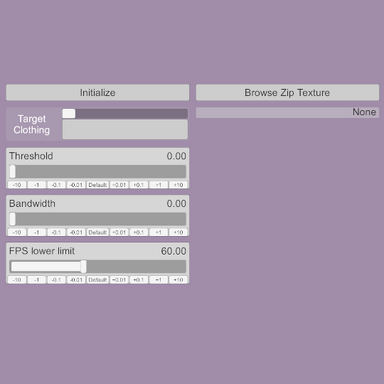
When added to a person atom, it can be used to select a clothing item and save that item's sim shape. That state can then be restored to exactly the way it was saved. Clothing and vertex positions are saved with the scene, and can be set again via the button or trigger after the scene is loaded.
When it's useful:
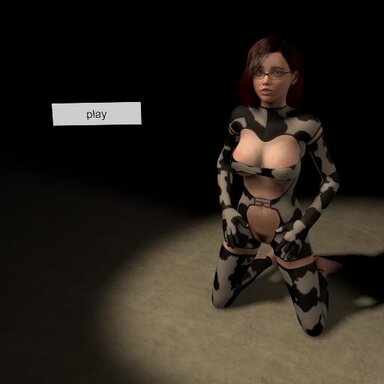
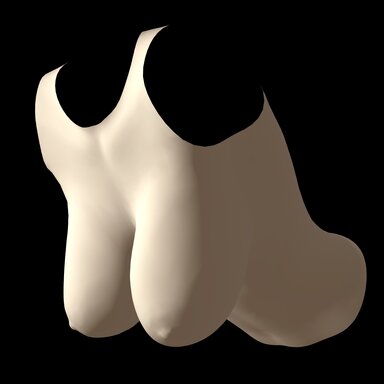
In many instances, a clothing item's sim will be reset; grabbing the person atom's root (if "freeze physics while grabbing" enabled), changing a clothing item's collision radius, disabling and re-enabling a clothing item, and a number of other collision and physics related changes and settings throughout the scene. If the clothing item starts clipping after a reset due to unfavorable posing or extreme morphs, this plugin can force it back to the pre-saved state.
Limitations:
This plugin should be able to account for atom root position and rotation changes, but cannot account for pose changes. One clothing item and one saved set of vertices per instance of the plugin. No presets, due to how transient the usefulness of a saved sim shape would be.
But how it work?
Pressing "Save Sim" (or triggering it from outside the plugin) will take the position values of each vertex of the selected clothing item, subtract out the person atom root's current position and rotation, and then save them to an array. "Set Sim" will take that saved data, add the atom root's current position and rotation, then set each clothing vertex to that position. It does this over a couple of physics frames due to the fact that the clothing sim's acceleration needs to be disabled as it's set, and then re-enabled after, otherwise it reacts violently.
Hope its niche purpose is handy, and that it doesn't break anything.
>it freaks out and clips through the model
>make adjustments to pose so it will stop clipping
>make adjustments to morphs so it will stop clipping
>gradually ease everything back to the way it was so clothing sim can adjust with it
>clothing sim is following nicely
>finally get it looking good and proper
>accidentally nudge person atom control
>complete sim explosion, back to square one
>mfw
So yeah. This is a thing that I realized could probably be done when I was messing around with clothing vertex positions in the ZipUnzipIt test.
What it does:
When added to a person atom, it can be used to select a clothing item and save that item's sim shape. That state can then be restored to exactly the way it was saved. Clothing and vertex positions are saved with the scene, and can be set again via the button or trigger after the scene is loaded.
When it's useful:
In many instances, a clothing item's sim will be reset; grabbing the person atom's root (if "freeze physics while grabbing" enabled), changing a clothing item's collision radius, disabling and re-enabling a clothing item, and a number of other collision and physics related changes and settings throughout the scene. If the clothing item starts clipping after a reset due to unfavorable posing or extreme morphs, this plugin can force it back to the pre-saved state.
Limitations:
This plugin should be able to account for atom root position and rotation changes, but cannot account for pose changes. One clothing item and one saved set of vertices per instance of the plugin. No presets, due to how transient the usefulness of a saved sim shape would be.
But how it work?
Pressing "Save Sim" (or triggering it from outside the plugin) will take the position values of each vertex of the selected clothing item, subtract out the person atom root's current position and rotation, and then save them to an array. "Set Sim" will take that saved data, add the atom root's current position and rotation, then set each clothing vertex to that position. It does this over a couple of physics frames due to the fact that the clothing sim's acceleration needs to be disabled as it's set, and then re-enabled after, otherwise it reacts violently.
Hope its niche purpose is handy, and that it doesn't break anything.