• Hi Guest!

    We are extremely excited to announce the release of our first Beta1.1 and the first release of our Public AddonKit!
    To participate in the Beta, a subscription to the Entertainer or Creator Tier is required. For access to the Public AddonKit you must be a Creator tier member. Once subscribed, download instructions can be found here.

    Click here for information and guides regarding the VaM2 beta. Join our Discord server for more announcements and community discussion about VaM2.
  • Hi Guest!

    VaM2 Resource Categories have now been added to the Hub! For information on posting VaM2 resources and details about VaM2 related changes to our Community Forums, please see our official announcement here.
Sim Setter (et al.)

Plugins + Scripts Sim Setter (et al.)

Download [<1 MB]
This update adds the ability to queue loading of the sim for several frames, allowing for simultaneous triggering of things such as pose changes which would otherwise reset and override the sim. This is a rather brute force approach, adding an adjustable physics frame delay (50 frames, or 1 second, by default) between trigger and activation. These actions are only exposed for triggers (SimSettter: Queue Set Sim; OutfitSetter: Queue Set Sim, Queue Set Sim All) and don't have dedicated buttons in the UI.

As an extension of this, there is now a Set On Load toggle available. When this is selected, loading a scene should automatically queue the sim to be set after 1 second, eliminating the need to trigger it separately in the likely scenario that a clothing item is meant to be a certain way by default.

Behind the scenes, the way the data is stored has been changed to be more compact. This hopefully won't have any negative effects on scenes saved with previous versions, because in theory the only way the data would get crossed is by editing the plugin version directly in the scene json.

(These are all things I wanted to establish before trying to work on a version that saves multiple sim states, which I think I've got some better ideas now on how to organize, so hopefully can start on that sooner than later.)

There was also a small bug with the previous version of SimSetter.cs where loading into a scene would always push the log message about a clothing mismatch, because of the exact way it was checking against the uid. This shouldn't have caused any real problems, because it was then just using the fallback check to find the intended clothing item, but it was annoying and could be confusing. That issue should be fixed now.

Tested several situations and it all seemed to work alright, but I'll be on the lookout for errors. Let me know if you see any, especially ones happening at scene load.
Pushing out a fix for an issue where a clothing item wouldn't be properly loaded if it was packaged as e.g. .latest instead of .1. In situations like this, the load method should now split the package info off of the beginning of the uid path and iterate through the existing clothing items in the scene, finding whichever one contains the rest of the path. When this happens it will push a log message showing the discrepancy. This should account for version mismatches, but still relies on clothing items otherwise having the same path structure and name. (Demo scene also updated with newer version to prevent outdated dependencies; its contents haven't otherwise changed.)

Also included in the var is an additional script, OutfitSetter. This script functions about the same as SimSetter, but allows for multiple clothing items to be saved. Use the selection menu to select an item and then Add its sim. Saved items are listed in the text box on the right side. Saved clothing items can be updated individually or collectively. Selecting a clothing item will allow for the individual item's sim to be set, and there is also an option to set all saved sims at once. It is currently still limited to only one saved set of sim data, though.

Let me know if you notice any bugs or odd behavior!
Some minor updates to the plugin:
- Clothing item is now saved along with vertex locations, where previously you would have to select the clothing item to restore it or be shown an error.
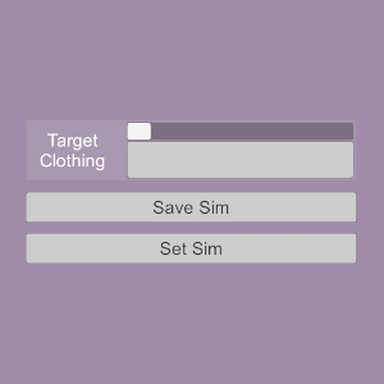
- Text box added to right side of UI showing the name of the clothing item selected, because the full uid path in the menu can be hard to read
- Text box also shows which clothing item is saved, and how many vertices are stored.

I was not able to easily find a way to account for atom scale when saving and loading vertex positions; the method I tried ended up with some +/- variance that could cause issues in more sensitive scenarios. Open to suggestions!

Also included is a demo scene, to show the kind of scenario one might find this plugin useful for. Instructions are built in to the scene and it uses no dependencies, aside from the plugin, so have at it!
Back
Top Bottom