** Plugin Made For Desktop Mode Only **
-- Description:
- Inspired from Blender's Rigify Addon, This plugin aims to streamline character posing & animation by adding FK & IK solvers in the mix + Custom interactive control nodes.
-- How to use?
- Simply load on person atom.
-- What does this plugin do?
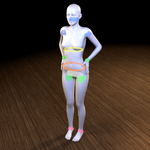
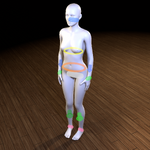
- Adds extra control nodes with custom shapes that can control controllers in bulk in Forward Kinematics fashion, or auto positions elbows & knees if Inverse Kinematics is enabled. node positions will adjust based on whether FK or IK is active due to different role.
*FK mode: this is normal behaviour, the arrows will act as a hub to move linked controllers visualized with a white line and pivot around yellow circle.
*IK mode: once enabled it will enable IK solver for limbs, yellow circle around extremities is the IK target, and the arrows will now act as IK Pole target.
- The chest & hip nodes have alt modes, holding Alt key will extend the affected controller set (watch Demo clips)
- Fully compatible with timeline controller state changes to speed up animation workflow (it will only keyframe the controllers that moved to prevent cluttered keyframes)
- Shortcut keybinds for faster workflow.
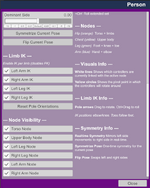
- Can symmetrize any pose.
- Realtime Symmetry, interact with any node or controller to symmetrize along hip bone X axis (local mirror)
- Can Flip Pose, swap controllers from left to right along Person Atom Control X axis but through the hip bone position (global swap mirror)
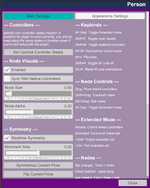
- Info text in plugin UI that explains all plugin functionality.
-- Demo of walking animation creation with FK Mode:
-- Demo of general use, realtime symmetry and push-up animation creation using IK mode:
-- Demo of flip + symmetrize pose with dominant side weight functionality:
-- Demo of Chest & hip Node Alt mode:
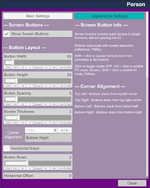
-- Demo of v3 update, new capsule nodes & screen-space UI buttons:
-- Plugin UI:
-- Snaps:
-- Note:
- Destructive buttons like flip pose or symmetry buttons require Shift + mouse click to unlock.
- It is recommended to set Optimal controller states by pressing the "Set Optimal controller states" button for the plugin to pose person correctly.

-- Plugin Reference Credits:
- @MacGruber Utils
- @chenrong CanvasButton
-- Demo Clips Credits:
- @Acid Bubbles for timeline plugin
-- Description:
- Inspired from Blender's Rigify Addon, This plugin aims to streamline character posing & animation by adding FK & IK solvers in the mix + Custom interactive control nodes.
-- How to use?
- Simply load on person atom.
-- What does this plugin do?
- Adds extra control nodes with custom shapes that can control controllers in bulk in Forward Kinematics fashion, or auto positions elbows & knees if Inverse Kinematics is enabled. node positions will adjust based on whether FK or IK is active due to different role.
*FK mode: this is normal behaviour, the arrows will act as a hub to move linked controllers visualized with a white line and pivot around yellow circle.
*IK mode: once enabled it will enable IK solver for limbs, yellow circle around extremities is the IK target, and the arrows will now act as IK Pole target.
- The chest & hip nodes have alt modes, holding Alt key will extend the affected controller set (watch Demo clips)
- Fully compatible with timeline controller state changes to speed up animation workflow (it will only keyframe the controllers that moved to prevent cluttered keyframes)
- Shortcut keybinds for faster workflow.
- Can symmetrize any pose.
- Realtime Symmetry, interact with any node or controller to symmetrize along hip bone X axis (local mirror)
- Can Flip Pose, swap controllers from left to right along Person Atom Control X axis but through the hip bone position (global swap mirror)
- Info text in plugin UI that explains all plugin functionality.
-- Demo of walking animation creation with FK Mode:
-- Demo of general use, realtime symmetry and push-up animation creation using IK mode:
-- Demo of flip + symmetrize pose with dominant side weight functionality:
-- Demo of Chest & hip Node Alt mode:
-- Demo of v3 update, new capsule nodes & screen-space UI buttons:
-- Plugin UI:
-- Snaps:
-- Note:
- Destructive buttons like flip pose or symmetry buttons require Shift + mouse click to unlock.
- It is recommended to set Optimal controller states by pressing the "Set Optimal controller states" button for the plugin to pose person correctly.
-- Plugin Reference Credits:
- @MacGruber Utils
- @chenrong CanvasButton
-- Demo Clips Credits:
- @Acid Bubbles for timeline plugin