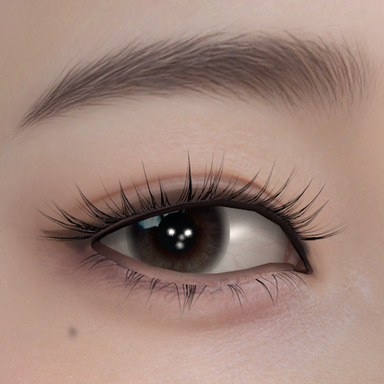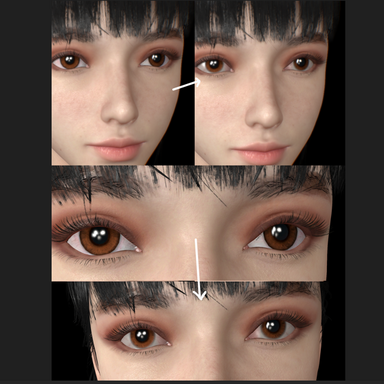

For characters with less prominent facial highlights, it serves as an indispensable asset.
它对面部高光不太明显的角色来说,属于救命稻草般的存在。
Two Methods of Use:
1 Wear it and do nothing.
2 Load your character's normal maps and specular maps into the Primary Specular (using Dazstudio G2F UV) for perfect results. Of course, your normal and specular maps must come from the same high-poly model.
两种使用方法:
1穿上它,Do nothing.
2把自己角色的法线贴图和高光贴图加载进Primary Specular(使用Dazstudio G2F UV)中,这样最为完美,当然,你的法线和高光贴图最好出自同一个高模。
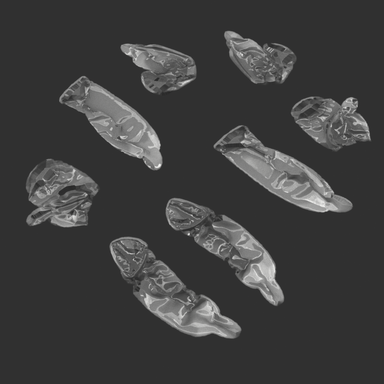
VAM lacks the layered specular highlight feature of traditional renderers with SSS shaders. Therefore, I created this "transparent mask sheet" to simulate the outermost sebum layer of human skin, which is specifically responsible for producing brighter and sharper specular highlights. It can be said to be a tool tailored for realistic creators. The Primary Specular only utilizes the Specular map and Normal map, simplifying the process of creating facial specular highlights to some extent. In this workflow, the diffusion of facial highlights is primarily controlled by the gloss parameter of the character or material, eliminating the need for manual painting. For the character's face, only two texture maps are required: the specular map and the normal map.
VAM没有传统渲染器SSS shader的分层高光,因此我制作了这个“透明面膜”来模拟人类皮肤的最外层的油脂分泌层,它专门负责呈现更加明亮且锐利的高光部分。可以说是为写实类作者定制的产物。Primary Specular只调用了Specular贴图和Normal贴图,它一定程度上简化了人物脸部高光的制作过程,因为该工作流的面部高光扩散主要由人物或材质的gloss参数控制,并不需要你自行绘制,人物脸部仅需要两张贴图足矣,分别为高光贴图和法线贴图。
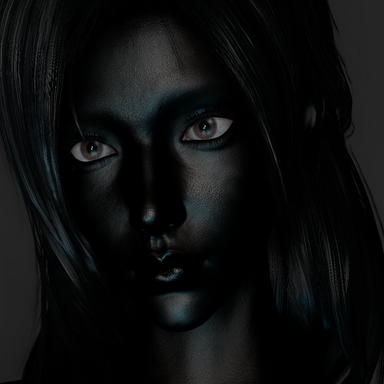
You can use this typical facial highlights reference image to standardize your character facial highlights workflow, moving away from adding random noise for a more standardized production process.
你可以使用这张典型的面部高光参考图像来规范你的角色面部高光工作流程,从而避免添加随机噪点,实现更标准化的制作流程。
CG artists often artistically enhance the outermost layer of highlights (the grease layer), so you don’t need to be overly restrained. Brightening the tip of the nose, darkening the forehead, or adjusting other areas are common techniques. Essentially, the highlights on the base layer determine whether the character’s skin texture appears dry or oily. However, a base layer with overly uniform and soft highlights can make the skin look monotonous. Adding a second layer of sharp highlights creates contrast through the combination of the two layers, enriching the visual expression of the character’s face to some extent—making it look less like sofa leather or silicone. While a single-layer highlight workflow can achieve a similar result by carefully painting a gloss map, a layered approach offers advantages in both efficiency and quality, as adjusting the “Primary Specular” layer allows for intuitive parameter tweaks to achieve the desired effect.
CG艺术家们通常会对最外层高光(油脂层)进行艺术化处理,因此你不需要过于拘谨,鼻头部位提亮,额头或者其他区域变暗等等,都是常见的操作。基本上,基础层的高光决定人物肤质整体看起来是干燥还是油腻,但基础层过于统一且柔和的高光看起来会让人感觉比较单调,叠加第二层锐利高光的意义在于两层高光叠加结果产生了对比,能一定程度在视觉上丰富人物面部表现,至少看起来不那么像沙发皮或硅胶。虽然单层高光流程努力绘制gloss贴图也能实现近似结果,但其实分层制作更具备速度和质量优势,因为在制作的过程中“Primary Specular”是通过直观的参数调节来获得理想结果的。