

Greetings VAM Community,
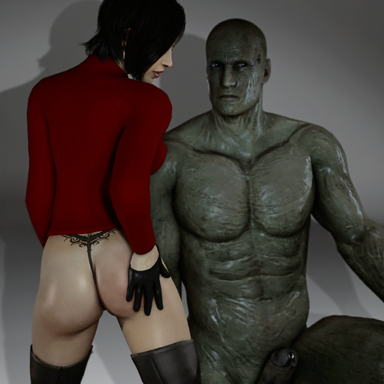
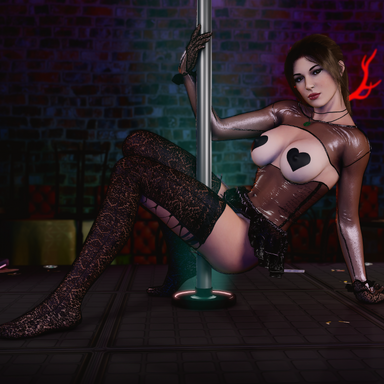
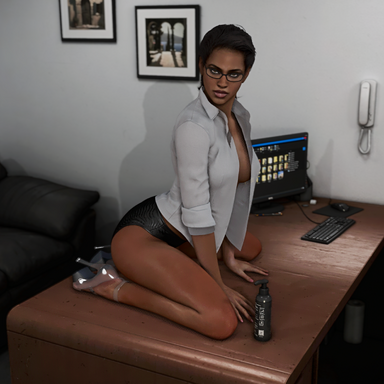
I am once again releasing my latest presets that I have been working on. If you have been around the screenshot section on the discord you will have seen these photos already but as promised, here they are for you to recreate in your install hopefully. This release includes an updated version of my Ada preset from my last release as well as an updated version of my old Munchy ReShade preset. I apologize for how heavy the shader list is, but it sort of just naturally balloons when experimenting so feel free to disable the ones you want. None of these are perfect for any scene so you will need to choose the right one depending on the lighting setup. The presets do look clearer in person than the photos as well.

I don't currently run any extra plugins for sub surface scattering or shadows as I find they conflict with looks that rely on invisible parts and such. Postmagic does still mess with the colors sometimes, so I always disable it. You can also use vs1 O006 Easy Post Effect Assets for tone mapping as I like having the multiple levels compared to the other tonemap assets available. You could technically do this through ReShade but I just prefer to use the vs1 option.

With the Ada preset, it's still probably my favorite preset out of all the ones I've made. The extra one now has a filmic pass applied as a filter which helps sell that daz look in a lot of scenes.

The updated Munchy preset uses the old one as a base and works in some effects from Ada as well as some of that glow that you see from other creators' shots. Not perfect as I find them to be overexposed sometimes but has its moments.

The other half of the picture is in the lighting and asset quality. I generally stick with models or environments with more detail for the photos of course but the presets can carry poor models as well to some degree. I also use lighting rigs quite a lot to save time over manually placing the lights. I have many saved and edit those slightly if needed but sometimes manual is the way to go. I'm not an expert in this regard but I'm usually happy with the quick results I get. Using some skin smoothing or Skynet's bending plugins also helps.

Anyways, I hope you guys enjoy these and if I possibly figure out some cool new effects I'll be back again.
Here are some other examples of these presets.


I am once again releasing my latest presets that I have been working on. If you have been around the screenshot section on the discord you will have seen these photos already but as promised, here they are for you to recreate in your install hopefully. This release includes an updated version of my Ada preset from my last release as well as an updated version of my old Munchy ReShade preset. I apologize for how heavy the shader list is, but it sort of just naturally balloons when experimenting so feel free to disable the ones you want. None of these are perfect for any scene so you will need to choose the right one depending on the lighting setup. The presets do look clearer in person than the photos as well.
I don't currently run any extra plugins for sub surface scattering or shadows as I find they conflict with looks that rely on invisible parts and such. Postmagic does still mess with the colors sometimes, so I always disable it. You can also use vs1 O006 Easy Post Effect Assets for tone mapping as I like having the multiple levels compared to the other tonemap assets available. You could technically do this through ReShade but I just prefer to use the vs1 option.
With the Ada preset, it's still probably my favorite preset out of all the ones I've made. The extra one now has a filmic pass applied as a filter which helps sell that daz look in a lot of scenes.
The updated Munchy preset uses the old one as a base and works in some effects from Ada as well as some of that glow that you see from other creators' shots. Not perfect as I find them to be overexposed sometimes but has its moments.
The other half of the picture is in the lighting and asset quality. I generally stick with models or environments with more detail for the photos of course but the presets can carry poor models as well to some degree. I also use lighting rigs quite a lot to save time over manually placing the lights. I have many saved and edit those slightly if needed but sometimes manual is the way to go. I'm not an expert in this regard but I'm usually happy with the quick results I get. Using some skin smoothing or Skynet's bending plugins also helps.
Anyways, I hope you guys enjoy these and if I possibly figure out some cool new effects I'll be back again.
Here are some other examples of these presets.