

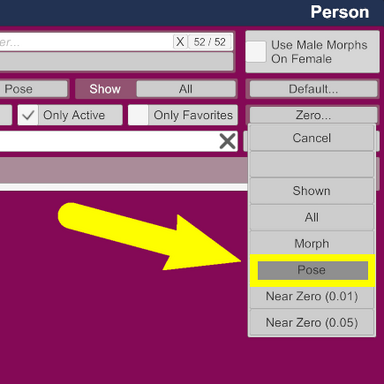


1. Create the pose zero morph preset
If morph and pose don't to zero, install clean version VaM in another folder and make a morph preset from there
2. Create a pose zero trigger
3. Morphs presets menu setting
You must always do this before using the pose zero preset, manually or by trigger
Include Physical (Pose) - enable
Include Appearance - disable
If you don't do this, the character morphs reset


If morph and pose don't to zero, install clean version VaM in another folder and make a morph preset from there
2. Create a pose zero trigger
3. Morphs presets menu setting
You must always do this before using the pose zero preset, manually or by trigger
Include Physical (Pose) - enable
Include Appearance - disable
If you don't do this, the character morphs reset
