• Hi Guest!

    We are extremely excited to announce the release of our first Beta1.1 and the first release of our Public AddonKit!
    To participate in the Beta, a subscription to the Entertainer or Creator Tier is required. For access to the Public AddonKit you must be a Creator tier member. Once subscribed, download instructions can be found here.

    Click here for information and guides regarding the VaM2 beta. Join our Discord server for more announcements and community discussion about VaM2.
  • Hi Guest!

    VaM2 Resource Categories have now been added to the Hub! For information on posting VaM2 resources and details about VaM2 related changes to our Community Forums, please see our official announcement here.

What’s new?​

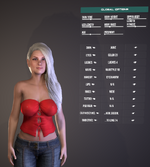
  • GlobalControl: Visually, it looks almost the same as before, but it is now entirely plugin-driven. Skin details like Makeup, Lips, Tattoos, Nails, and PubHair are now pulled specifically from the selected skin. These are also fully integrated into the Randomizer.
  • Hair & Clothing Preset Favorites: You can now apply your own clothing and hair preset favorites directly to your character. Simply mark them as a "Favorite" in the corresponding tab in PersonControl, and CharacterForge will be able to read them. This means you can now select your own presets directly from the GlobalControl menu. You are no longer strictly dependent on the dependencies I pre-defined (even though they are still currently listed as dependencies).
  • Improved "Clothes On/Off" Logic: The "Clothes On/Off" button now works much more reliably with your outfits. It now actively saves your selected clothing presets before stripping the character. Previously, I only hid the default clothing using transparency, which would have made this button unusable in the new plugin-driven design. This new approach ensures a clean transition every time.

IMPORTANT! (Please Read Before Loading)

When you load the scene for the first time, you might notice that the display of selected details and presets in the Global Tab doesn't update correctly. This is due to a specific dependency between VAMStory and my plugin, as they interact with each other.

  • The Fix: If you are quick enough to click "Allow Always" in the Security Dialog during the loading process, the issue should not occur (and it will remember this setting for future sessions).
  • The Workaround: If you missed the dialog or weren't fast enough, don't worry—a simple Reload of the scene will fix it and get everything running as intended.

Attachments

  • Screenshot 2026-03-26 144235.png
    Screenshot 2026-03-26 144235.png
    361.9 KB · Views: 0
Hey Character Creators,

in this update, I reorganized the global options tab and added some new Stuff:

NEW SKIN OPTIONS
- Makeup
- Lipgloss

NEW HAIRSTLYES
- Added 3 new Hairstyles. Now we have 26 !!


1753297996.jpg
This version comes with a handful of improvements (my Patrons already got some of them in the early scoop 😉):


UI Improvements
I completely redesigned the interface to give you a much clearer and more efficient character creation experience.


New Morphs
  • Ears – including Elves and Fairies (excluded from Randomizer to avoid chaos!)
  • Chest
  • Waist

That brings the total to 287 editable morphs across 14 categories for now!


New Hairstyles
3 new styles added – bringing the total to 23 hairstyles to choose from!


Bugfixes & Tweaks
  • Fixed the infamous "Brows" vs. "Browns" typo 😉
  • Various small changes and improvements under the hood


  • 1752786412.jpg

Bug Fixes​

  • Fixed a bug where the Randomizer UI remained visible after using the "Close All Tabs" button
  • Fixed an issue with the Mouth Randomizer where the maximum value was incorrectly capped below 50%
  • Fixed a bug causing the Person Atom to appear distorted when loading the scene
  • Fixed the infamous "Browns" typo → it's now "Brows" in the Brows tab
  • The Reset Character Forge button now properly resets:
    • All sliders
    • Tabs and views
    • Morphs & globals
    • Character pose
    • Viewport
    • Clothes (turned on again)

🔧 Improvements​

  • Added a Reset Pose button for quickly restoring the default pose
  • Adjusted the default pose to feel more grounded and stable
  • Reworked the environment to better highlight the character
  • Added a new button to disable auto-positioning of the character
  • Adjusted default Randomizer values for a more natural outcome

Removed Slider​

  • Arm Length – removed due to a dependency-related bug.

New Morph Categories​

  • Head / Face Shapes
  • Breast Details (Nipples + Areola)
  • Genital Morphs
  • Anus Morphs

New Randomizer Options​

  • Randomize Body
  • Randomize Head

New Feature​

  • Measurement Units Selector added – switch between:
    • Cup Sizes
    • Body Measurements

New Hairstyles​

  • 9 new hairstyles + color variations
    (Make sure your dependencies are installed!)

Viewport Update​

  • Pre-configured poses added for new categories
New Tabs:
  • Jaw/Chin Tab
  • Cheeks Tab

UI Improvements:
  • Reordered all tabs (head to toe layout)

Randomizer Enhancements:
  • Min/Max sliders for global settings (fitness, mass, height, etc.)
  • Auto-reset of morphs before group randomization
  • Age slider now included in randomizer
  • Improved default values for more realistic base models

New Content:
  • Support for 3 new hairstyles

Bug Fixes:
  • Minor bugs resolved

Attachments

  • 1751793757.jpg
    1751793757.jpg
    632.2 KB · Views: 0
  • 1751793764.jpg
    1751793764.jpg
    602.8 KB · Views: 0
I fixed the following:

- the camera started in wrong place
- the body height slider did nothing... meh!
Back
Top Bottom