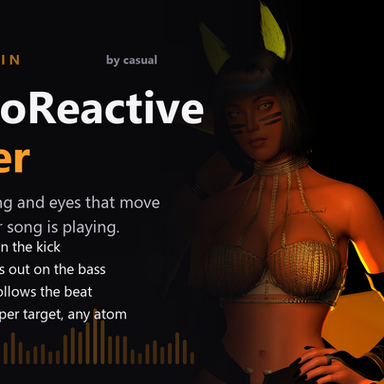


So this was made completely by AI, I needed a tool for a scene I'm making. I don't intent on keeping it updated unless I need something new.
Feel free to use it how ever you want, but keep in mind how it was made, I have 2 braincells I don't posses the brain power to fix future bugs.

One plugin instance drives one thing from the song that is playing: a light pulses on the kick, a clothing
material fades on the bass, an eye material pushes its specular highlights with the beat. Add as many
instances as you like - they all share a single audio analysis per frame.
INSTRUCTIONS
------------
1. Add the plugin to any atom: Add Plugin > AudioReactiveDriver (a SubScene or Empty atom is fine).
2. AUDIO column: set "Audio source atom" to the atom playing your music, then pick a band.
"Kick 40 - 120 Hz" is a good starting point.
3. TARGET column: pick the target atom, then the target type.
4. Light: Output min 0.05, Output max 2.5.
Clothing: value "Alpha Adjust" with Output 0 -> -1 (or tick Invert) fades a garment out on the bass.
Iris: leave the four range sliders as they are, or press "Use param range".
5. Press "Pulse test (1s)" to check the mapping without music, and watch the level / output bars.
6. Repeat for more targets: one plugin instance per thing you want to move.
Feel free to use it how ever you want, but keep in mind how it was made, I have 2 braincells I don't posses the brain power to fix future bugs.
One plugin instance drives one thing from the song that is playing: a light pulses on the kick, a clothing
material fades on the bass, an eye material pushes its specular highlights with the beat. Add as many
instances as you like - they all share a single audio analysis per frame.
INSTRUCTIONS
------------
1. Add the plugin to any atom: Add Plugin > AudioReactiveDriver (a SubScene or Empty atom is fine).
2. AUDIO column: set "Audio source atom" to the atom playing your music, then pick a band.
"Kick 40 - 120 Hz" is a good starting point.
3. TARGET column: pick the target atom, then the target type.
4. Light: Output min 0.05, Output max 2.5.
Clothing: value "Alpha Adjust" with Output 0 -> -1 (or tick Invert) fades a garment out on the bass.
Iris: leave the four range sliders as they are, or press "Use param range".
5. Press "Pulse test (1s)" to check the mapping without music, and watch the level / output bars.
6. Repeat for more targets: one plugin instance per thing you want to move.