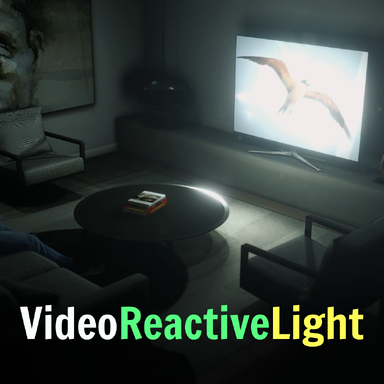


VideoReactiveLight | A better way to fake your TV ambient lighting
For my scene Give Me Attention, I wanted to have a realistic ambient TV light effect, but just adding a flickering blue light in front of the TV wasn't good enough for me
This plugin makes your VaM Lights react to whatever's playing on a screen in the scene. It reads the average color and brightness of a video, image, or web panel each frame and pushes that to one or more lights. So a TV showing a sunset lights the room warm orange and a screen with rave visuals will make the lights flash in unison.
How to use:
For my scene Give Me Attention, I wanted to have a realistic ambient TV light effect, but just adding a flickering blue light in front of the TV wasn't good enough for me
This plugin makes your VaM Lights react to whatever's playing on a screen in the scene. It reads the average color and brightness of a video, image, or web panel each frame and pushes that to one or more lights. So a TV showing a sunset lights the room warm orange and a screen with rave visuals will make the lights flash in unison.
How to use:
- Drop the plugin onto any atom in your scene. An Empty atom works well, or attach it directly to the ImagePanel atom or one of the light atoms. It doesn't matter which.
- In the plugin UI, set Source Atom (video) to the atom that's displaying the content (your TV, ImagePanel, WebPanel, etc.).
- In Target Light 1–6, pick the InvisibleLight atom(s) you want driven. You can drive up to six lights at once. Leave unused slots on "None".
- Tune to taste:
- Brightness Multiplier: how strongly bright scenes light the room.
- Min Brightness: a floor so dark scenes still produce a soft glow instead of going black. Set to ~0.2–0.5 for OLED content with deep blacks.
- Saturation Multiplier: pump or mute color intensity.
- Smoothing: 0 snaps instantly, higher values ease changes over time. ~0.15 is a good default for natural-feeling response.
- Update Rate Hz: how often the frame is sampled. 15 Hz is plenty for ambient lighting and effectively free; raise to 30 Hz if you want the lights to react to fast cuts.
- Brightness 1–6: per-light multiplier. Useful when one light is a key fill near the screen and another is a distant lamp that should be subtler.
- The Enabled toggle switches the whole effect on and off. Rescan Atoms refreshes the dropdowns if you add or rename atoms after loading the plugin.