


Recent content by SlimerJSpud
-

Scenes Halloween on Camp Crystal Lake
The scene gives an error about missing the John M. song about a small town. The song wasn't packaged in the var. Perhaps best to remove the reference to it.- SlimerJSpud
- Post #4
- Forum: Free
-
VaM 1.x Hair is often missing when I download new models
If you've organized your AddonPackages folder into sub-folders, then it's on you to keep track of that. My point was, if you push the right buttons, the Aerith model works just fine. Any problem you have with that model is on your end.- SlimerJSpud
- Post #24
- Forum: Questions & Answers
-
Scenes Halloween on Camp Crystal Lake
A great concept for Vamoween, but the dependency list is a killer.- SlimerJSpud
- Post #2
- Forum: Free
-
Moderator Forum Rules - Please read first!
Can we have a better title for the thread, like Free WIP Forum? NVM. Didn't see this was part of a forum, it looked like just a post.- SlimerJSpud
- Post #2
- Forum: Work In Progress
-
VaM 1.x Hair is often missing when I download new models
Flattened is basically useless if you have a lot of stuff. All does include local assets, which is not what you want in this case.- SlimerJSpud
- Post #22
- Forum: Questions & Answers
-
VaM 1.x Hair is often missing when I download new models
You might have been in the default starting point for the search which is local presets in Custom/Atom/Person/Appearance. You have to switch to AddonPackages Filtered like I did before entering any search string. Once you do that, the search should give the same results in the left or the right...- SlimerJSpud
- Post #20
- Forum: Questions & Answers
-
VaM 1.x Hair is often missing when I download new models
There are multiple free Aerith models. If you want help with something, please be more specific. This one is just as described, an Appearance Preset. You need to load the default character, or a scene with a character in it, then load the appearance preset. It's not the same as a Look preset...- SlimerJSpud
- Post #18
- Forum: Questions & Answers
-
VaM 1.x Hair is often missing when I download new models
If this is the Aerith you have, that's a paid resource. You should contact the creator on their Patreon for support on how to load it. People here may not have that paid resource, so they may not be able to help. Is the file you downloaded a .var file, or a .zip file? Some paid resources do...- SlimerJSpud
- Post #16
- Forum: Questions & Answers
-
VaM 1.x Hair is often missing when I download new models
Search the hub for how to deal with CUA hair. In some models, the hair is not hair, in the Vam sense. It's basically a prop. One thing you can do with a character that has CUA hair is to strip down the scene they came in to almost nothing and save that as a scene. Then you can do a merge load of...- SlimerJSpud
- Post #2
- Forum: Questions & Answers
-
Cammy Outfit 4 + Best Cammy Look?
Also check that the top doesn't have the box checked to modify breast joint physics.- SlimerJSpud
- Post #7
- Forum: Looks
-
Comment by 'SlimerJSpud' in media 'Druuna in the C&G scene Criminal.'
Shesky Druuna character as a tatted dancer in the C&G scene Criminal.- SlimerJSpud
- Gallery comment
-
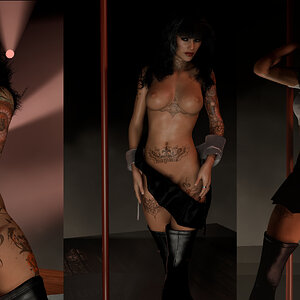
Druuna in the C&G scene Criminal.
Shesky Druuna character as a tatted dancer in the C&G scene Criminal.- SlimerJSpud
- Media item
- druuna erotic dancer lapdance tattoo
- Comments: 1
- Category: General Items
-
Cammy Outfit 4 + Best Cammy Look?
There are a lot of dials on TM. :) Finding out which ones you want to use can be a challenge. Personally, I don't like it because it makes a mess of small breasts. The morphs also get baked into Timeline, so disabling it doesn't help sometimes, unless you go through the animations and nuke those...- SlimerJSpud
- Post #4
- Forum: Looks
-
Cammy Outfit 4 + Best Cammy Look?
You might try using the Naturalis plugin on one of them to make the breast/glute physics more to your liking.- SlimerJSpud
- Post #2
- Forum: Looks
-
Looks Rhica the Faun
If you really want the body hair items, they just got used in another scene. Funny you can't search for them, but if you have them, and reference them in a scene, they show up as downloadable dependencies. https://hub.virtamate.com/resources/miniscene19.70187/dependencies- SlimerJSpud
- Post #12
- Forum: Free