

Recent content by PangolinBob
-

Environments Space_Bedroom
Thanks a lot! This is most likely not related to VR. The reflections are baked for the room's original orientation, and Unity keeps reflection probes aligned to the world axes, so they don't follow if the CUA is rotated (a 90° turn gives exactly the shift you describe). Keep the room's rotation...- PangolinBob
- Post #3
- Forum: Free
-

Environments Space_Bedroom 1
Hub-Hosted VAR CC BY[ENV] Space Bedroom – 4 colours × 3 light levels, built-in lighting, full collisions A futuristic bedroom as a Custom Unity Asset: 12 ready-to-use versions in one package. • 4 colour themes: White, Night Blue, Powder Pink, Grey Orange • 3 light levels for each: Light1 (bright), Light0.5...- PangolinBob
- Resource
- bedroom environment sci-fi space
- Category: Environments
-
Environments Space_Bedroom
PangolinBob submitted a new resource: Space_Bedroom - Futuristic space bedroom, 12 versions, self-lit Read more about this resource...- PangolinBob
- Thread
- Replies: 2
- Forum: Free
-
Plugins + Scripts Body_Wizard
Yes! Body_Wizard uses the morphs you have available, so just load new morphs from the hub (https://hub.virtamate.com/resources/categories/morphs.10/) and the plugin will do the rest.- PangolinBob
- Post #7
- Forum: Free
-
Plugins + Scripts Body_Wizard
PangolinBob updated Body_Wizard with a new update entry: Minor update Read the rest of this update entry...- PangolinBob
- Post #5
- Forum: Free
-
Plugins + Scripts Body_Wizard - Minor update
Added additional exclusion keywords in the choice of morphs used by the plugin.- PangolinBob
- Resource update
- Category: Plugins + Scripts
-
Plugins + Scripts Body_Wizard
Thanks for your suggestion ; I hadn't thought of that at all... However, it's an excellent idea and easy to code (y) What is long and complicated, on the other hand, is the entire testing phase to precisely identify the keywords that the plugin will use to select certain morphs and exclude...- PangolinBob
- Post #3
- Forum: Free
-
Plugins + Scripts Body_Wizard
PangolinBob submitted a new resource: Body_Wizard - One click = one body ! Read more about this resource...- PangolinBob
- Thread
- Replies: 6
- Forum: Free
-
Plugins + Scripts Body_Wizard 2
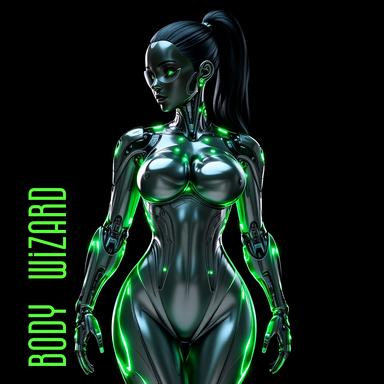
Hub-Hosted VAR CC BY-NDIf you liked Face_Wizard, you'll love Body_Wizard too! Body_Wizard is an ultra-simple plugin: one click = one body. You can also refine by body parts, or use advanced settings for full control. Use Face_Wizard + Body_Wizard together → one click = a complete look! Below you’ll find two...- PangolinBob
- Resource
- appearance automatic body character creation customization generator look morph morphs randomizer
- Category: Plugins + Scripts
-
Plugins + Scripts Face_Wizard
I'll add a complementary solution: you can use the Morph Merge and Split plugin to create a slider for a face you're particularly happy with.- PangolinBob
- Post #18
- Forum: Free
-
Plugins + Scripts Face_Wizard
No, to save a face, it is not necessary to save the preset. There are several possible explanations for your situation: 1) Face_Wizard saves only the morphs used by the plugin: so if you've saved a face that already had morphs before the plugin acted, those moprhs aren't saved and you can't...- PangolinBob
- Post #17
- Forum: Free
-
Plugins + Scripts Face_Wizard
PangolinBob updated Face_Wizard with a new update entry: Face_Wizard 1.1.0 Read the rest of this update entry...- PangolinBob
- Post #15
- Forum: Free
-
Plugins + Scripts Face_Wizard - Face_Wizard 1.1.0
On secondary pages (one for each part of the face), it is now possible to display the morph sliders used by the generation in order to modify them. On secondary pages: addition of 2 buttons (i) Active Morphs to display the morph sliders used by the generation and (ii) All Morphs to display the...- PangolinBob
- Resource update
- Category: Plugins + Scripts
-
Plugins + Scripts Face_Wizard
PangolinBob updated Face_Wizard with a new update entry: Anti-duplicate function Read the rest of this update entry...- PangolinBob
- Post #14
- Forum: Free
-
Plugins + Scripts Face_Wizard - Anti-duplicate function
This update introduces a new feature that automatically detects and ignores duplicate morphs with identical display names, ensuring only one instance of each unique morph is used in face generation.- PangolinBob
- Resource update
- Category: Plugins + Scripts